

- Tracking which affiliates are driving sales and referrals
- Reviewing commissions owed and earned
Note:
The Affiliates Report is only available with the Growth and Pro Plans. Learn more about our Growth and Pro Plans at kajabi.com/pricing. For more information on using the affiliates feature, visit Affiliate Overview.
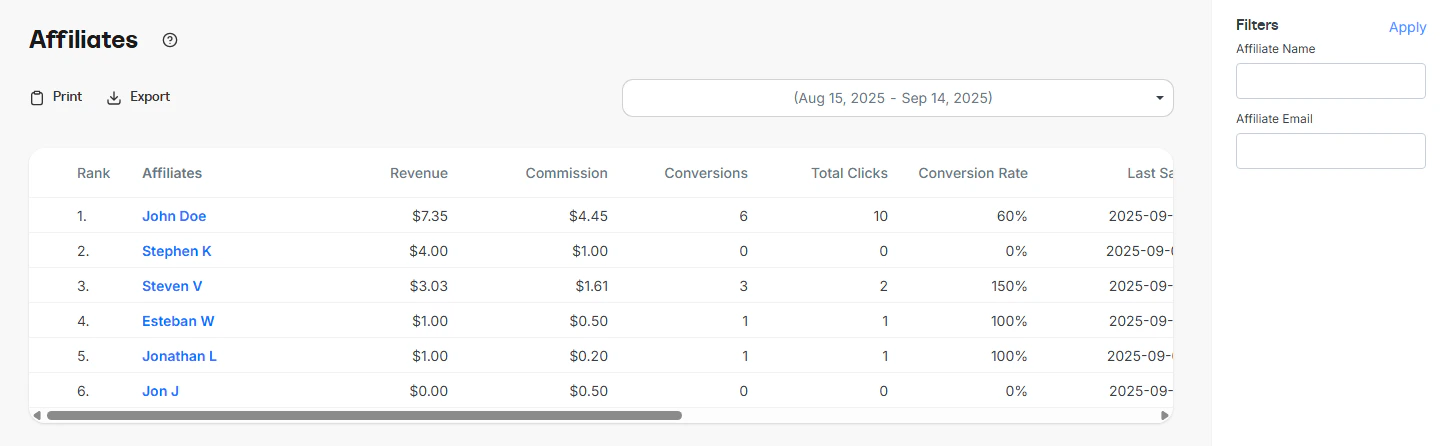
Data table
The data table includes the following columns:- Rank: The affiliate’s rank based on amount of sales
- Affiliate Name: The name or email of the affiliate. Clicking a name reveals all customers they have referred
- Commission: The total commission earned by the affiliate during the selected date range
- Conversions: The number of successful transactions attributed to the affiliate
- Total Clicks: The total number of tracked clicks from the affiliate’s links
- Conversion Rate: The ratio of conversions to clicks, expressed as a percentage
- Customer Referred
- Customer Email
- Commission
- Offer Purchased
- Purchase Date
How to use this report
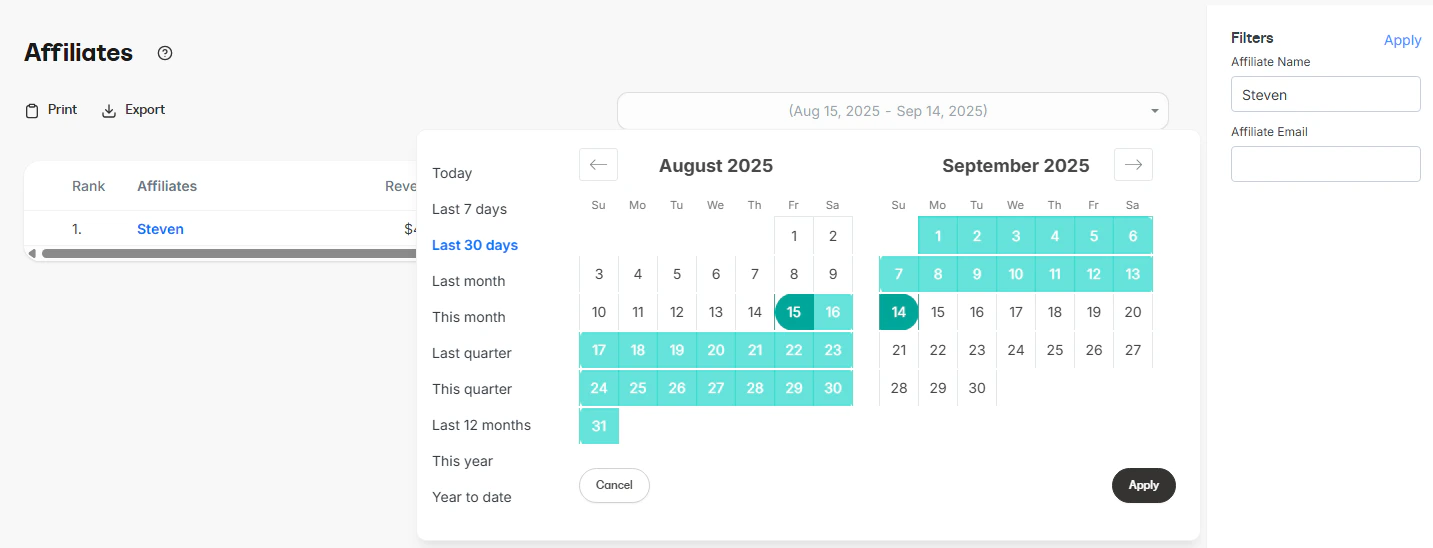
You can customize the data displayed in the report using several controls.- Time range: Filter results by time period (e.g., last 7 days, last 30 days, custom date range)
- Affiliate Name or Email: Search and filter results to focus on a specific affiliate
Export information
When you export the Affiliates report, the resulting file will include the same columns and reflect any filters you have applied. This ensures the data in the export matches what is displayed in the report:- Name
- Revenue
- Commission
- Conversion
- Conversion Rate
- Total Clicks
- Last Sale
- Override Percentage
- PayPal Email