

- Tracking subscription cancellations across time periods
- Identifying which cancellation reasons (e.g., voluntary, delinquent, internal) are most common
Data presented
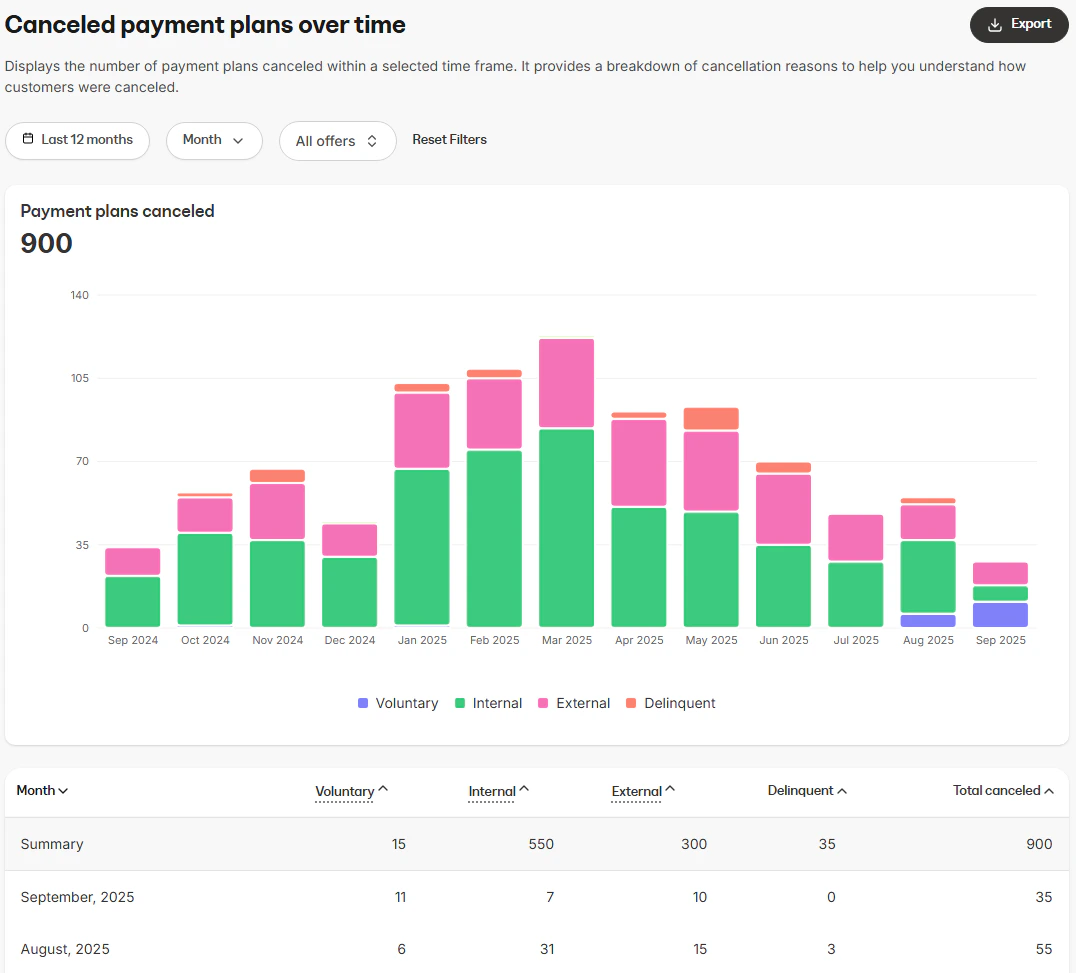
Visual charts
- Subscriptions canceled (stacked bar chart): Shows the total number of cancellations over time, broken down by reason (voluntary, internal, delinquent, etc.)
Data table
The data table provides a monthly breakdown of cancellations by reason:- Interval: The calendar month of cancellations
- Voluntary: Cancellations initiated directly by customers choosing to end their subscription
- Internal: Cancellations manually processed by an internal user on behalf of a customer
- Delinquent: Cancellations due to failed and overdue payments that were not resolved
- Automation: Cancellations triggered by an automated rule you set up in Kajabi
- Bulk action: Cancellations applied in bulk by an internal user
- External: Cancellations that originated outside Kajabi, such as through a 3rd party payment method or provider
- API: Cancellations triggered programmatically via Kajabi’s API
How to use the report
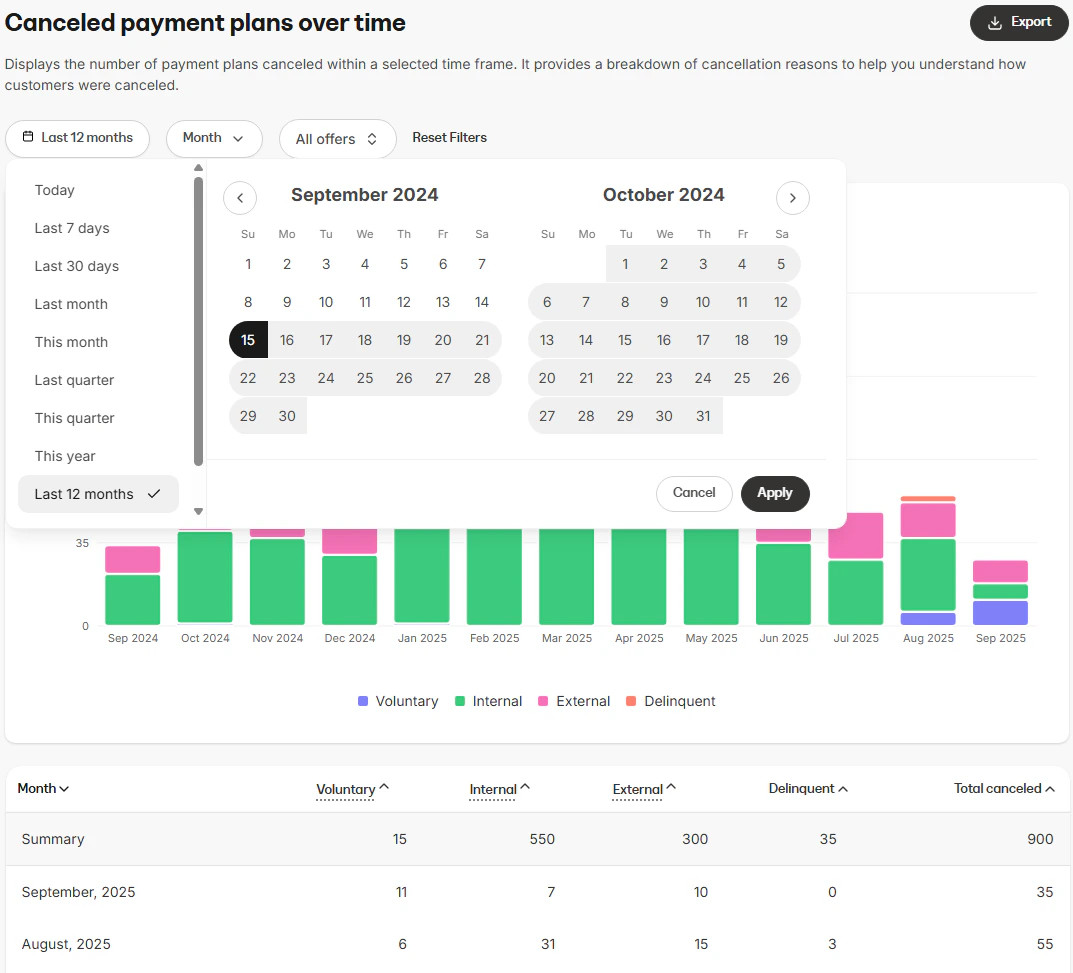
You can customize the data displayed in the report using several controls.Controls
- Time range: Filter cancellations by period (e.g., last 7 days, last 30 days, last 12 months, custom date range)
- Interval: Choose how the data is grouped within the selected time range (Day, Week, Month, Year)
- Offer selection: Choose whether to view cancellations across all offers or focus on a specific offer
Export information
When you export the Canceled subscriptions over time report, the resulting file will include the same columns and reflect any filters you have applied. This ensures the data in the export matches what is displayed in the report:- Month
- Voluntary
- Internal cancellation
- Delinquent
- Automation
- Bulk action
- External
- API
- Other