

Note:
When you start a conversation with us, you agree to our privacy policy and acknowledge that we may temporarily access your account, as needed, to investigate and resolve your conversation.
Overview
You can reach our support team in the way that works best for you. Choose a quick chat in the app or send an email — either way, you will get help fast.- Conversation widget — chat directly within Kajabi or the Help Center
- Email — send a message to the appropriate team
Note:
When you contact us, our AI agent will usually respond first. It is trained on Kajabi’s help resources to help you get answers quickly. If the AI does not automatically connect you with a human and you prefer to talk to a person, just ask.
Use the conversation widget
Open the conversation widget by clicking the circle at the bottom-right of Kajabi or on the Help Center. After you log in to Kajabi, you are automatically authenticated in the conversation widget in Kajabi and the Help Center. Your conversation history is visible in both places.Note:
- If you are unable to see the conversation widget, make sure you are not blocking cookies or using an ad blocker browser extension for Kajabi websites.
- The conversation widget is currently not available on builder pages inside Kajabi (Pages, Checkout, Emails, Funnels).
Start a conversation
- Click the circle at the bottom-right to open the conversation widget.
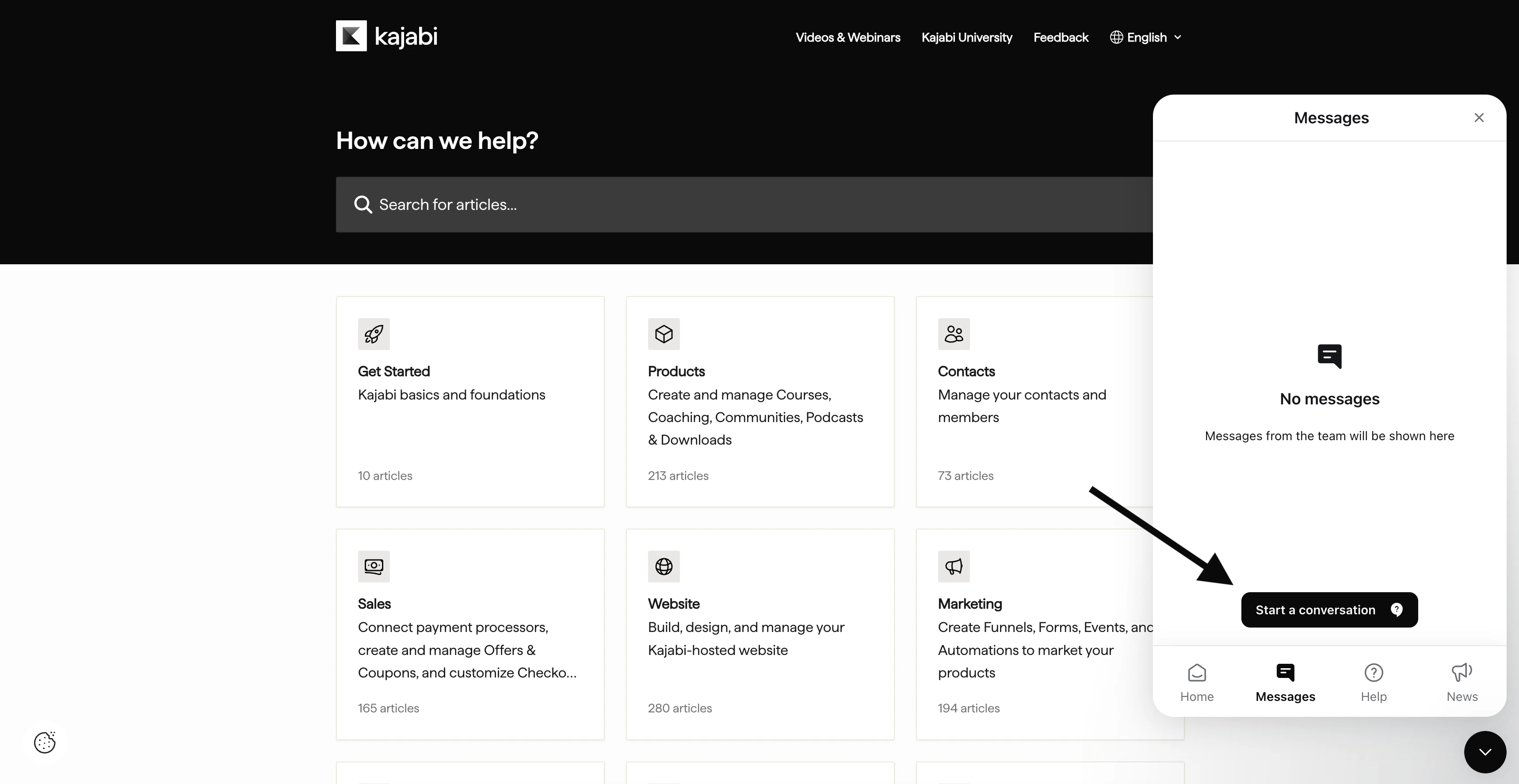
- Click the Messages tab in the conversation widget to access conversations.
- Click Start a conversation in the Messages tab.
- Type and send a message to initiate a conversation.
Navigate the conversation widget
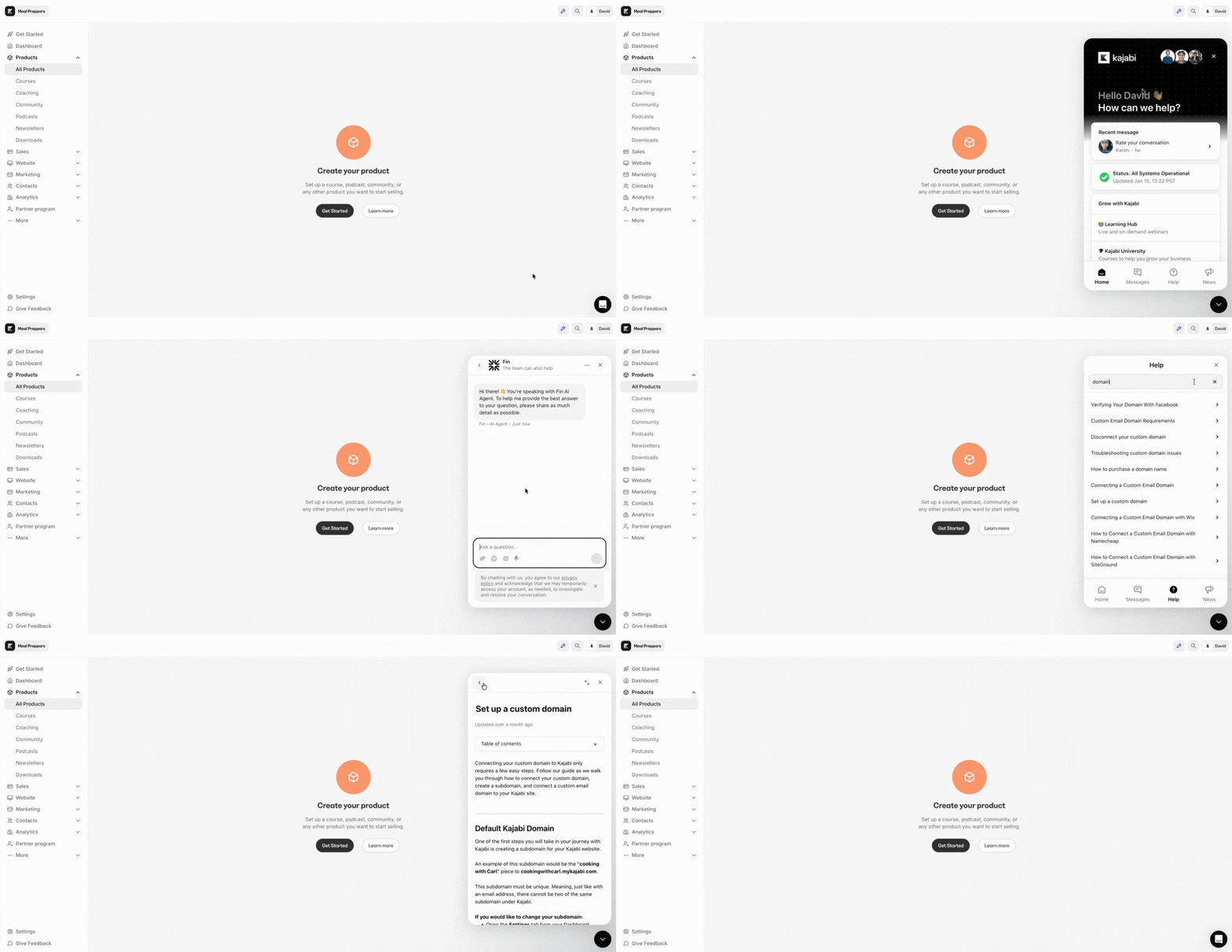
The conversation widget has four tabs: Home, Messages, Help, and News. Home- Recent message — quickly see the latest message from a conversation
- Status — get updates from Kajabi’s status page, helpful if you are experiencing an issue
- Resources — featured resources to help you grow your business on Kajabi
- Search for help — view suggested articles or search Kajabi’s help articles
- Click Start a conversation to start a conversation. You can also view your conversation history.
- Search or browse help articles right within the conversation widget.
- Periodically shared updates about Kajabi, including features or resources.
Email us
Below you can find email addresses for our support team. When you start an email conversation, include a detailed description of what you need help with. It may be helpful to include a screenshot or video recording.Team availability
All times below are Pacific Time.| Team | When |
|---|---|
| Technical Support support@kajabi.com 24/7 | Questions, requests, or issues related to using Kajabi, such as asking how to duplicate a Course |
| Billing billing@kajabi.com 24/7 | Questions, requests, or issues related to your Kajabi subscription including add-ons, such as requesting to upgrade to the Pro plan |
| Kajabi Payments payments.support@kajabi.com Weekdays, 12am-5:30pm / Weekends, 10:30am-7pm | Inquiries related to Kajabi Payments or Cart, such as integrating Xero |
| Branded Mobile Apps bma.support@kajabi.com Weekdays, 9am-5:30pm | Questions, requests, or issues related to the branded mobile app add-on, such as asking how push notifications work |
Helpful resources
- Attend live webinars and watch video guides
- Take courses on Kajabi University
- Hire a Partner to build your Kajabi site
- Purchase Kajabi templates
- Share feedback and view the roadmap
- View the changelog