You can unsubscribe from Kajabi marketing emails directly through your notification settings or by using the unsubscribe link in the footer of any marketing email.
Update email notifications
Unsubscribe from all Kajabi marketing emails through your Notifications & Privacy settings.
Change notification preferences
- Open the Settings tab from your Dashboard.
- Select Notifications & Privacy from your Account Settings.
- Select Unsubscribe from all marketing email.
- Then, click Save to keep and apply your changes.
Want to resubscribe to Kajabi’s marketing emails? Deselect Unsubscribe from all marketing email and custom select the emails you wish to receive from Kajabi.
Learn more about your email notifications and privacy settings.
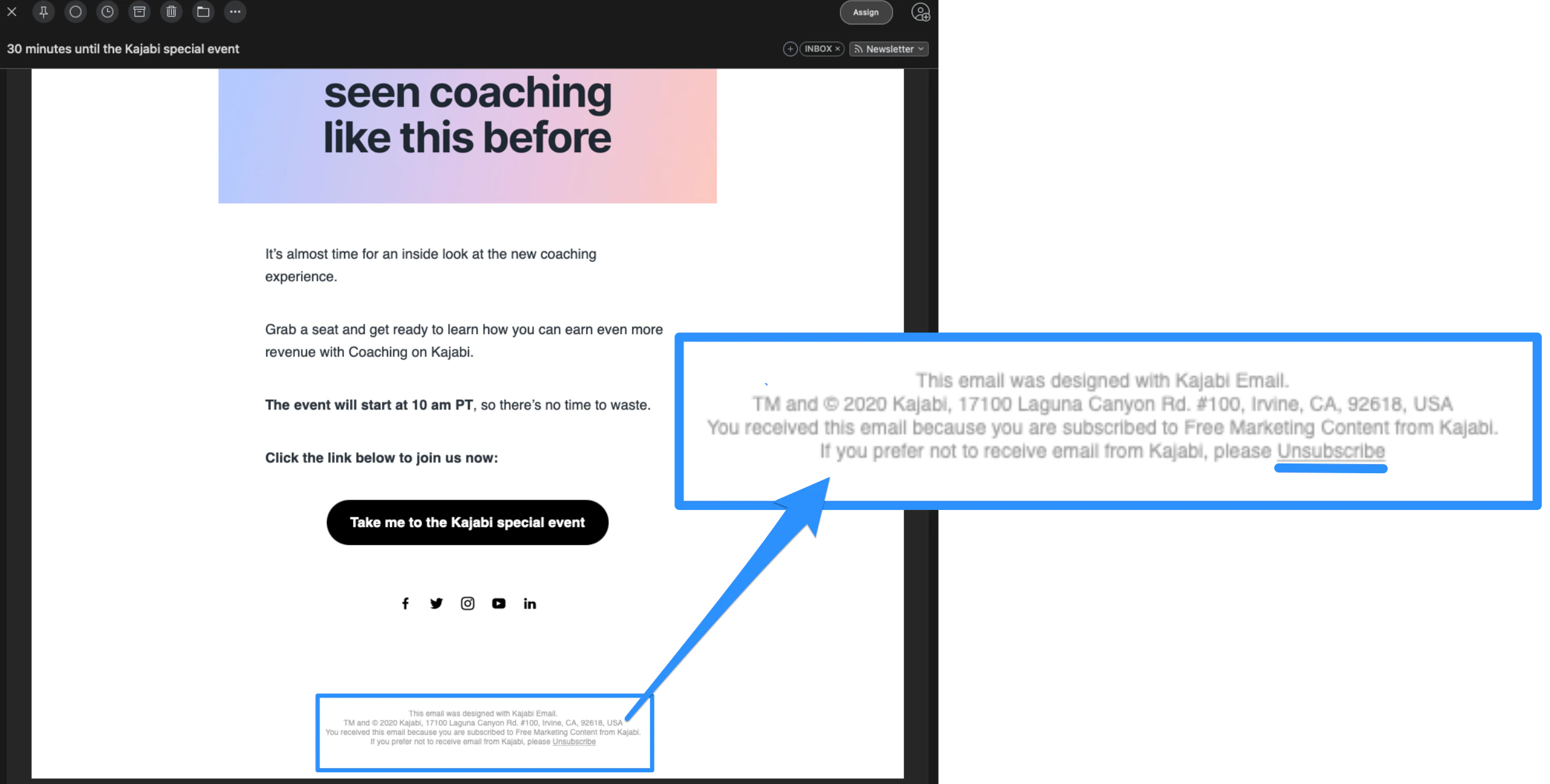
Every marketing email sent by Kajabi contains a link in the footer that you can click to remove yourself from Kajabi’s email list:
Unsubscribe from marketing emails
- Navigate to the email you received from Kajabi.
- Scroll to the bottom of the email.
- Click Unsubscribe in the footer.
Important:
If you have multiple email addresses subscribed to Kajabi’s emails, you will need to unsubscribe each of your email addresses in order to stop receiving Kajabi’s emails. Follow the instructions above for each email address subscribed to Kajabi’s marketing emails to ensure that you no longer receive Kajabi’s marketing emails to any of your email addresses.

