

Schedule Group Coaching sessions
- Open the Products tab from your Dashboard
- Select Coaching
- Click the Programs tab
- Navigate to your desired Group Coaching Program
- Click Settings from the top menu of your program
- Navigate to Scheduling
- Customize your scheduling preferences
- Click Save to keep and apply your changes
- Navigate to the Groups tab
- Select the Group where you want to schedule sessions
- Select the session you want to schedule
- Click Schedule session
- Complete the prompt for scheduling your session and click Ok
- Manually click into each session that you are ready to schedule
Note:
If a member signs up for the program after the sessions have already been scheduled, they will receive email invites to each of the scheduled sessions if you are using the Kajabi Scheduler. Learn to connect the Kajabi Scheduler to a Coaching Product.
Override scheduling
By default, the groups in your Group Coaching Program will maintain the scheduling preferences from your Group Coaching Program settings. You can manually customize each group within the program by using the Override program scheduling preferences setting within the individual group setting: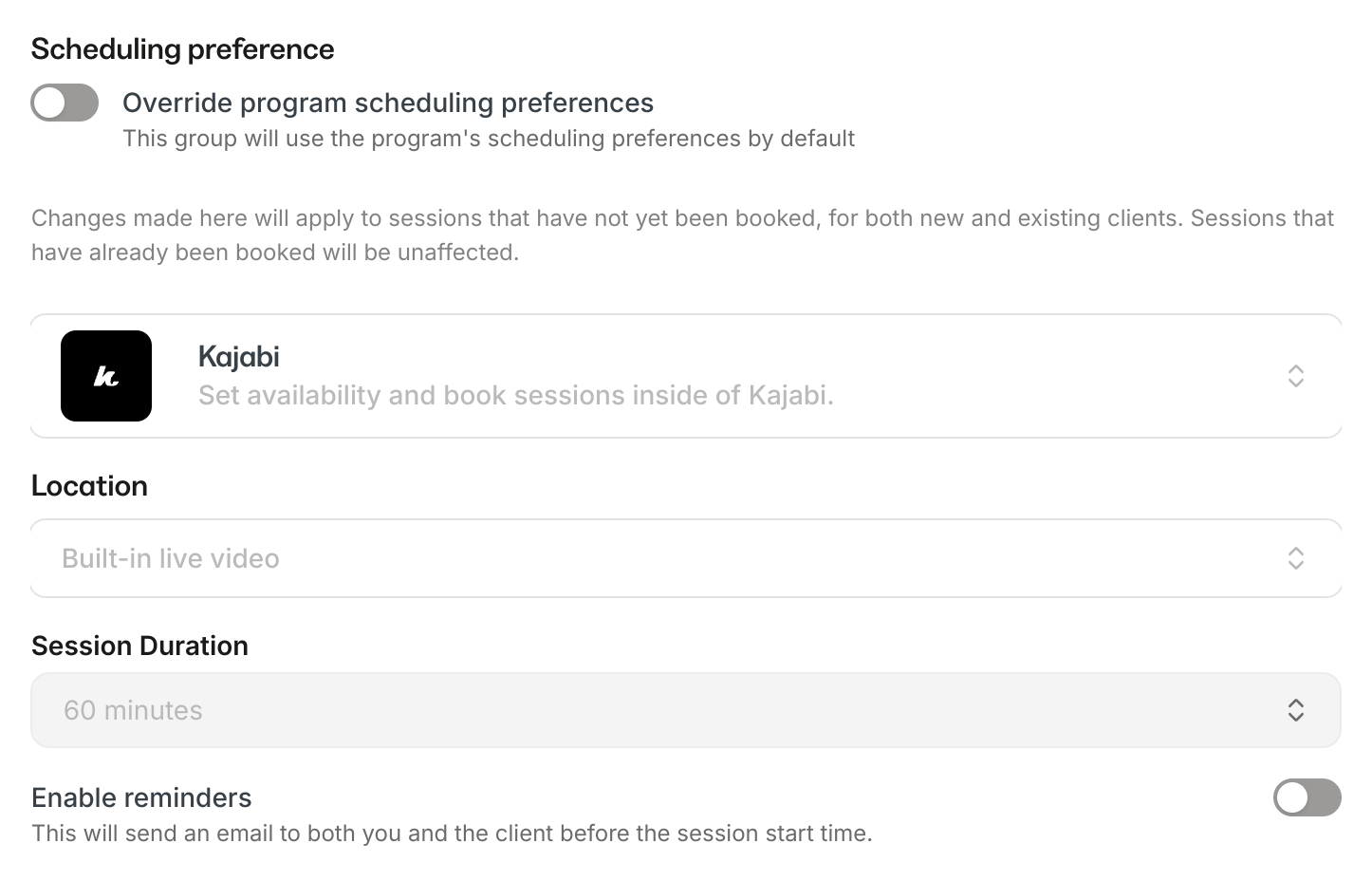
Manually schedule each session for a group
- Open the Products tab from your Dashboard
- Select Coaching
- Click the Programs tab
- Navigate to your desired Group Coaching Program
- Open the Group you want to schedule
- Click Settings from within your Group
- Toggle on Override program scheduling preferences
- Customize your scheduling preferences
- Click Save to keep and apply your override
- Navigate back to the Sessions tab within your Group
- Select a session to schedule
- Click Schedule session
- Complete the prompt for scheduling your session and click Ok
- Manually click into each session that you are ready to schedule