Locate inactive Coaching sessions
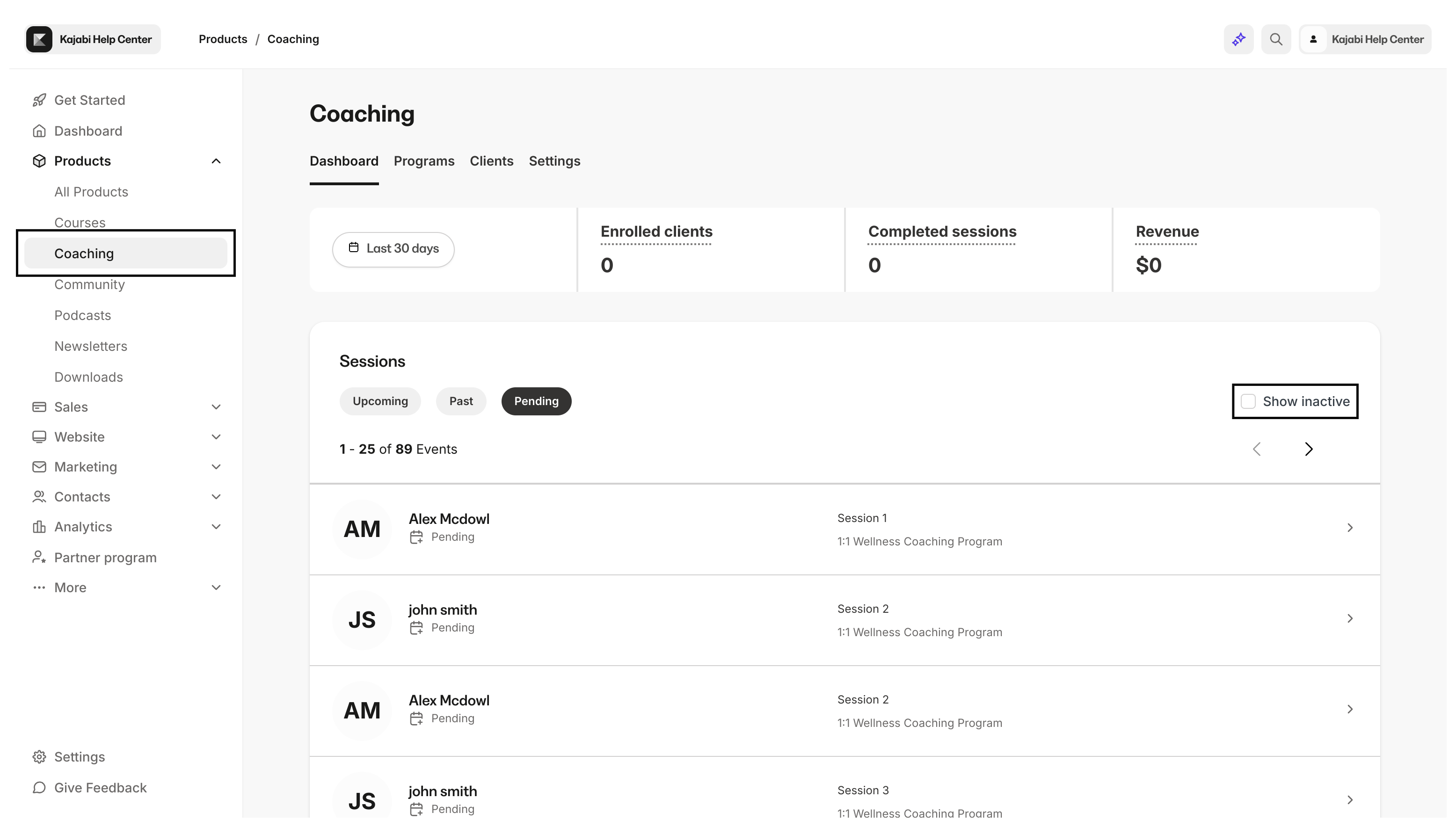
Identify your inactive coaching sessions in the Coaching Dashboard to strategize your upcoming coaching plans.- Open the Products tab from your Dashboard
- Click Coaching in the left dropdown menu under Products
- Select the Show inactive checkbox in your Sessions section to view your inactive coaching sessions