

What is payment authentication?
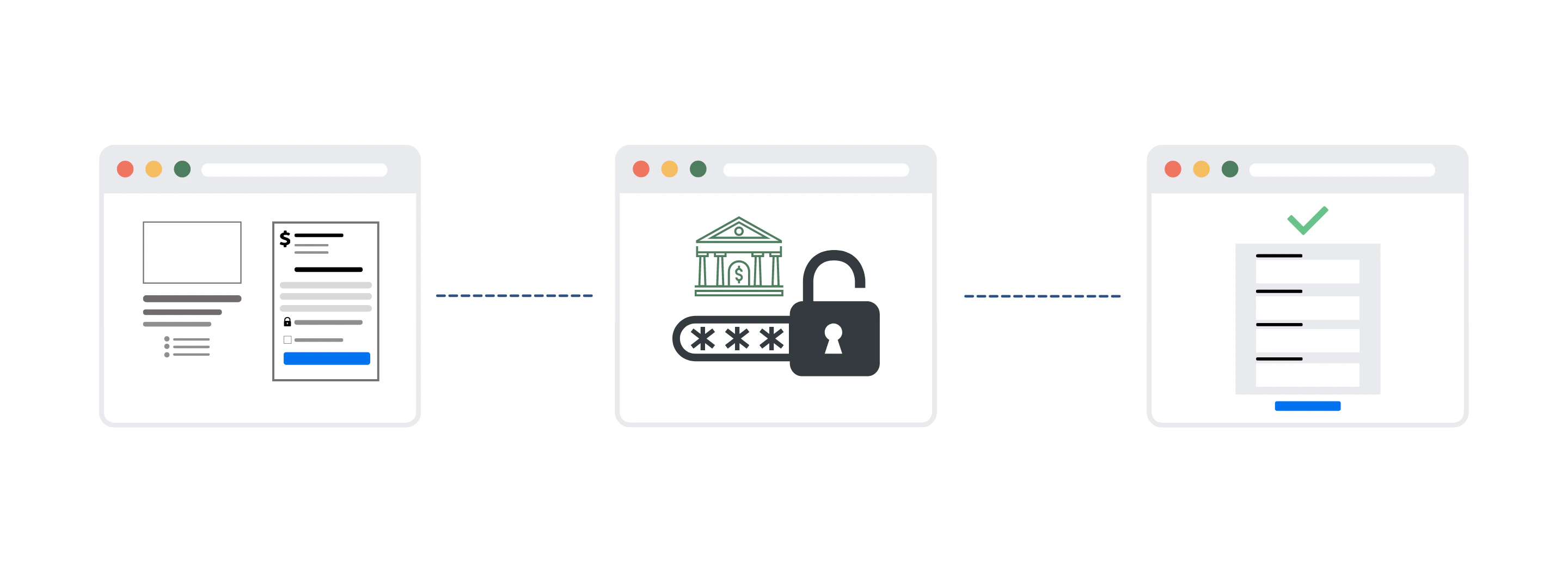
Payment authentication is the process of confirming a customer’s identity to successfully process a transaction:- First, a purchase is initiated.
- Then, the customer authenticates the transaction.
- After authentication is successful, the purchase is completed.
Strong Customer Authentication
The Strong Customer Authentication (SCA) is a European regulatory requirement designed to reduce fraud and make online payments more secure. Transactions that don’t follow the SCA authentication guidelines may be declined by your customers’ banks. Learn more about SCA from Stripe. Not sure if your business is affected by SCA? Learn about businesses affected by SCA.Is Kajabi compliant?
As authentication requirements evolved, Kajabi worked to ensure that knowledge entrepreneurs had the tools necessary to meet these changes. This requirement drove proactive change and Kajabi has supported authentication from the start. Kajabi Payments and partnerships with Stripe and PayPal provide the necessary tools to comply with various authentication requirements without any extra setup or work for you.How Kajabi supports authentication
With Kajabi, you can feel confident knowing that your checkout process meets authentication requirements without needing to lift a finger. Kajabi Payments ensures that transactions on your site have the required authentication. And with Kajabi’s strong partnerships with Stripe and PayPal, you can feel confident that transactions on your site have the required authentication. With PayPal, authentication is done for you. If authentication is required, PayPal completes the authentication process separately from Kajabi. Learn how PayPal handles authentication What about Stripe? Kajabi works closely with Stripe to ensure that your site complies with authentication requirements by using Stripe’s 3D Secure. If a customer is required to complete authentication to process their transaction, they are immediately prompted to authenticate their payment through their bank before proceeding. Customers with an off-session or offline payment that must be authenticated outside of the checkout process (like a recurring payment) will receive an email prompting them to authorize the transaction.What will my customers see?
If a transaction occurs on your site that requires authentication, your customer’s experience will vary depending on:- The financial institution of the card used for payment (the card Issuing Bank)
- And the status of the transaction when authentication is required (i.e., in-checkout or off-session)
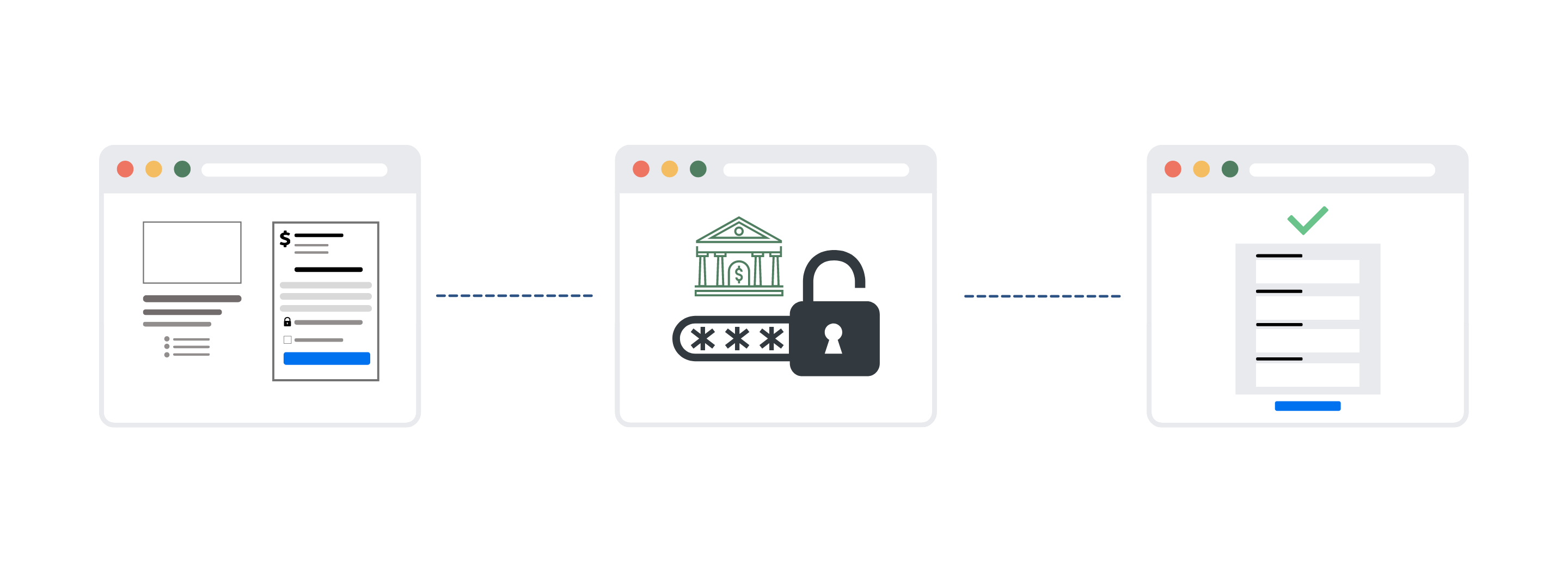
In-checkout experience
If your customer requires authentication during the checkout process, they will be prompted to authorize the transaction immediately following the completion of the Offer Checkout Page.Note:
This step will vary depending on your customers’ bank.
Off-session experience
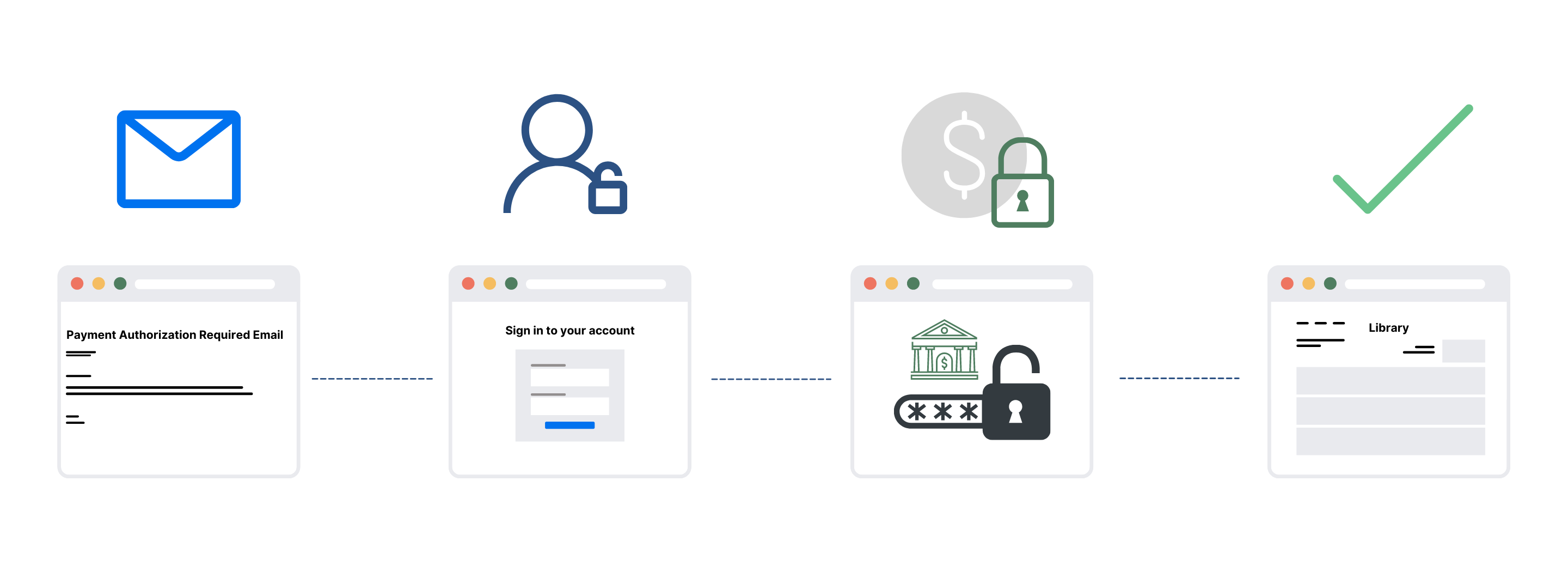
A financial institution can request authentication for a transaction outside the checkout process. This is referred to as the off-session experience. This can occur if a customer requires authentication for transactions outside of the checkout page, such as a recurring subscription. If authentication is required outside of the checkout process, both you and your Member will receive an email notification to inform you that authentication is required. Email notification: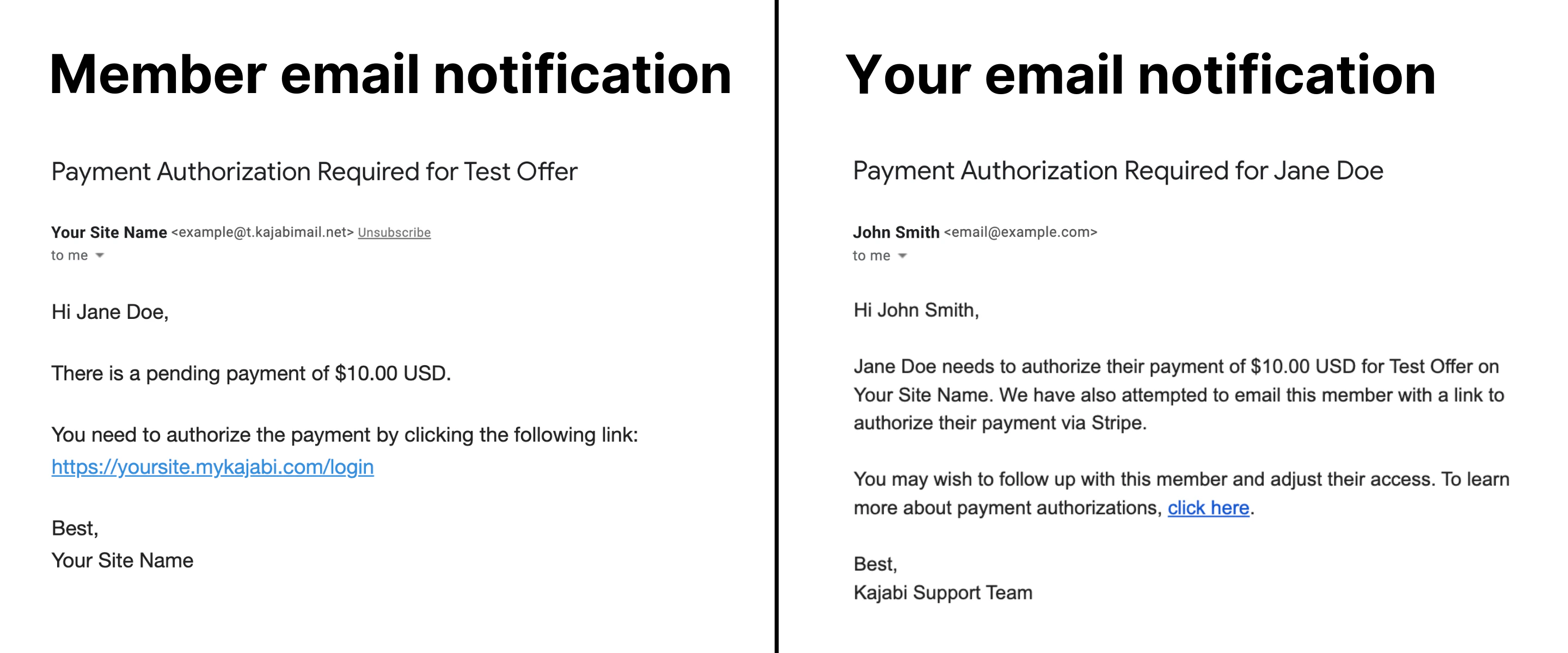
Note:
Your Stripe setup will determine the specific number of days your Member is allotted.
Can I change the email copy sent to my customers?
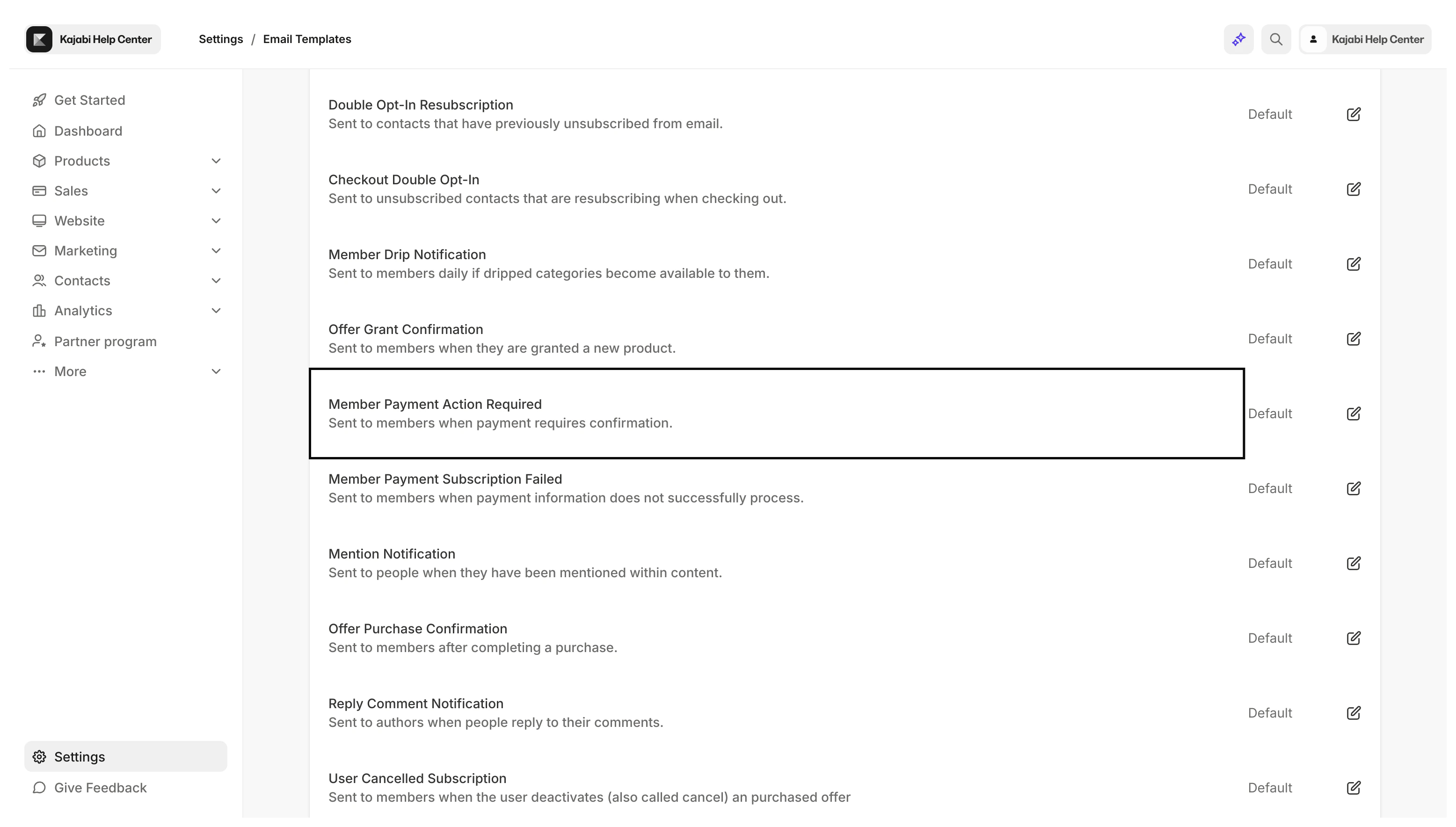
Yes, you can edit the automated emails sent by your site to best represent your language and brand. Learn how to edit automated emails To edit the email notification sent to your customers that require authentication:- Open the Settings tab from your Dashboard.
- Select the Email Templates card from your Site Settings.
- Then, click Member Payment Action Required to begin editing:
Don’t want to be notified every time a customer requires authentication?
Update email preferences: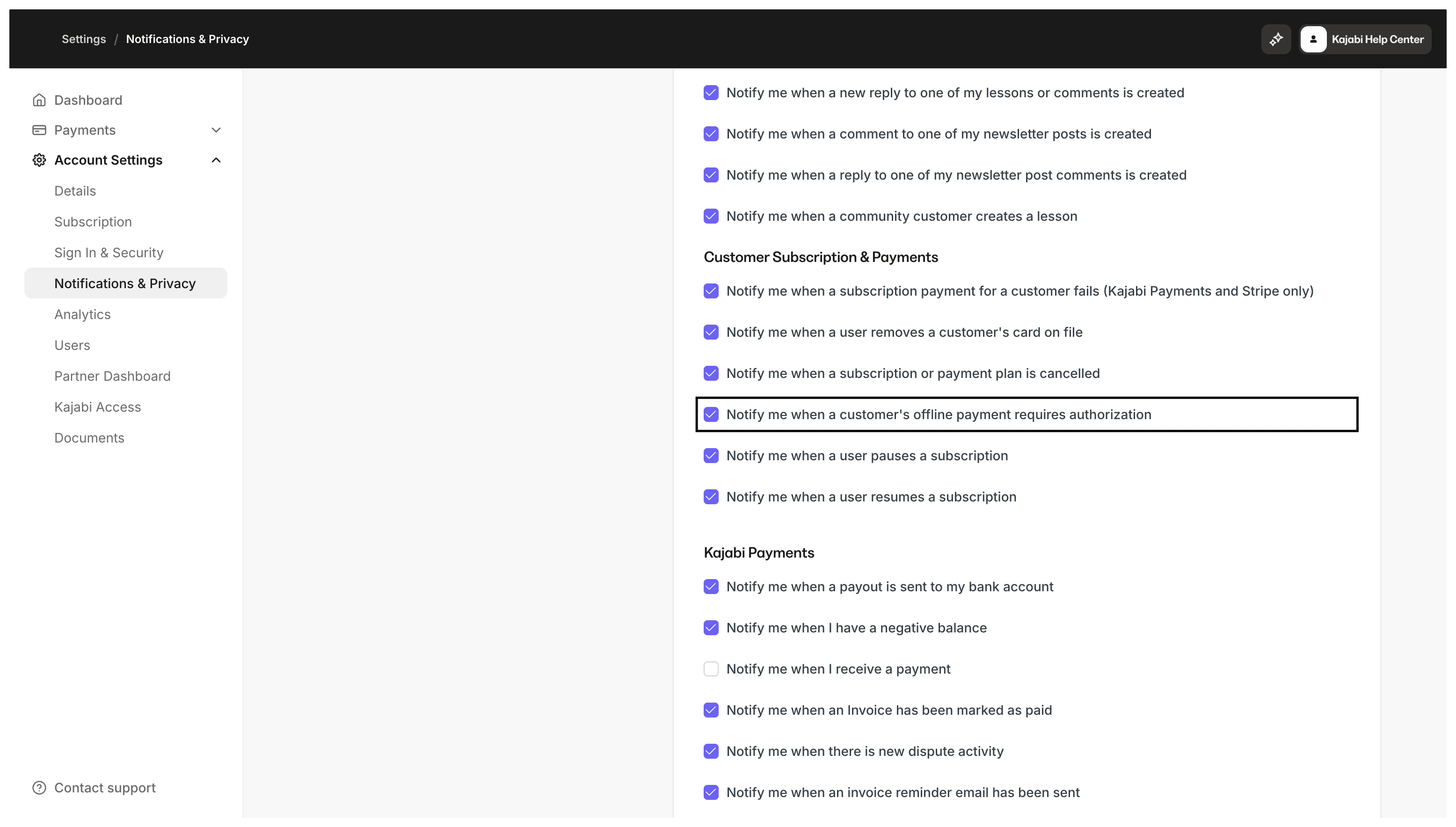
What do I need to do?
If you choose to process payments through Kajabi Payments or PayPal, authentication is automatically handled for you, so you don’t have to do anything. Similar to PayPal, Kajabi’s integration with Stripe automatically handles authentication for you. However, with Stripe, you have the ability to customize your Stripe account to modify your 3D Secure settings such as:- The length of time before Stripe performs an action if authentication is incomplete
- The action Stripe should perform at the conclusion of your selected time period