If you are having trouble connecting your Kajabi account with PayPal, you may be experiencing one or more of these issues. This guide covers common PayPal integration problems and their solutions.
API credentials
A crucial step in setting up your PayPal integration is making sure you are using the Live API Credentials and not the Sandbox API Credentials. The Live API Credentials will be used for your PayPal integration. It will not be possible to integrate successfully when using the Sandbox API Credentials.
Sometimes the Create App button will be unclickable or greyed out for a period of time after creating your PayPal Business account.
The Create App option becomes available within 24 hours of creating your PayPal Business account.
Please reach out to PayPal support if you have further issues with this. You can reach them here: https://www.paypal.com/us/smarthelp/contact-us.
Sandbox account status error
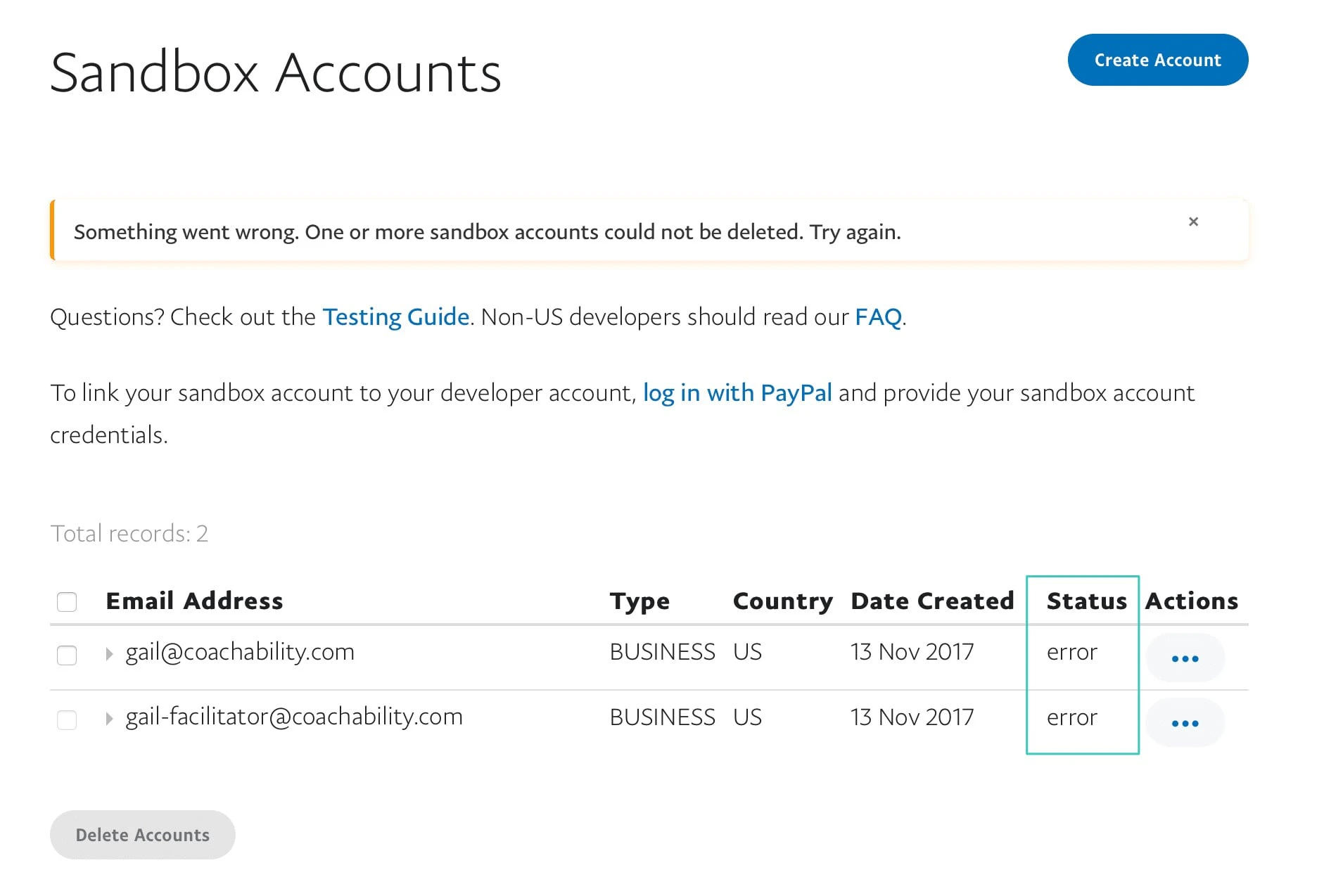 You will need to have an active Sandbox Account in order to complete the PayPal integration.
Fix
There is not currently a way to fix this on our end.
You will need to reach out to PayPal customer support in order to resolve this issue. You can reach them here: https://www.paypal.com/us/smarthelp/contact-us.
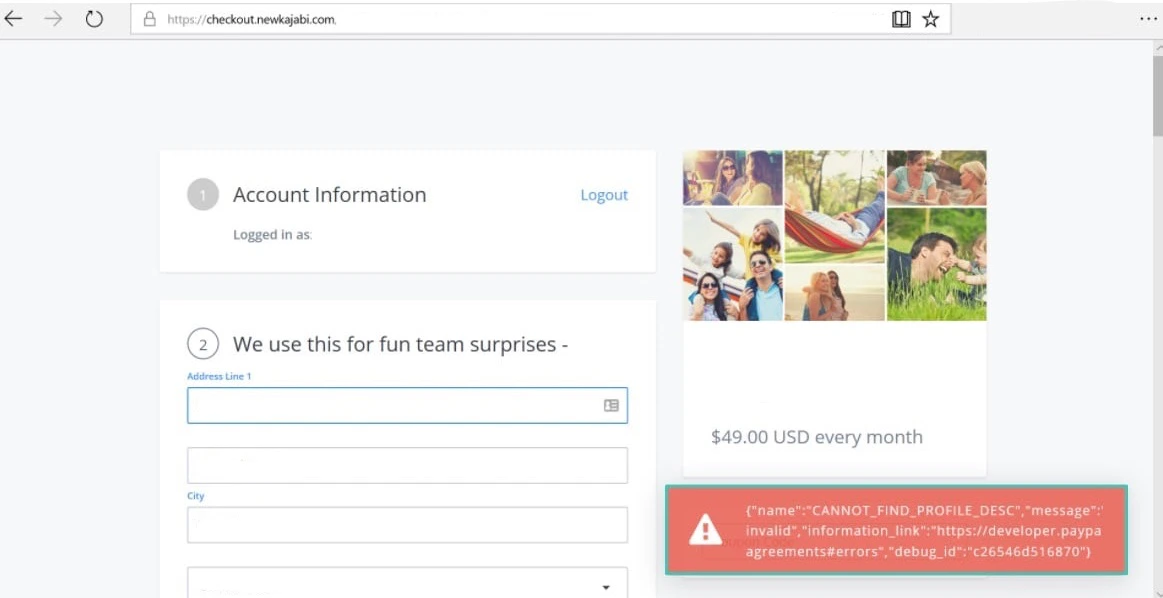
CANNOT_FIND_PROFILE_DESC error
The CANNOT_FIND_PROFILE_DESC error is triggered by an outdated Offer. This error usually comes up when using an Offer that was created before we released our native PayPal integration. The error will look like this:
Fix
An easy fix for this issue would be to recreate or Duplicate the offer giving you the error. Learn how to duplicate an offer. Use the freshly duplicated Offer on your sales pages and your users should be able to complete their purchase without issue.
If this does not help solve the issue, reach out to our support team.
PayPal payment modal disappears
This error has to do with how you have your PayPal account set up. This is usually caused by not having subscriptions enabled in your PayPal business account.
Fix
You’ll need to go to this link: https://developer.paypal.com/developer/accountstatus and enable subscription payments in your account.
If enabling subscriptions does not keep the payment modal from disappearing, you will need to reach out to PayPal customer support in order to resolve this issue. You can reach them here: https://www.paypal.com/us/smarthelp/contact-us.
PayPal seller protection
Learn what is covered and what is not covered under PayPal’s seller protection plan here: https://www.paypal.com/us/webapps/mpp/security/seller-protection.
Intangible purchases like services, digital goods, etc. are not covered by PayPal.
Tip: Unfortunately, PayPal doesn’t automatically update changes made to Offer Titles in customer invoices. Consequently, if the title of your offer is changed, the former title will still be shown on the invoice. Because of this issue, we recommend creating a new offer with the new title to ensure consistency for your customer purchases and invoices.

