

Overview
You can embed video content from external sources like YouTube directly into your blog posts using embed code. This allows you to include additional video content beyond the single video upload option in the media card.Embed a video in a blog post
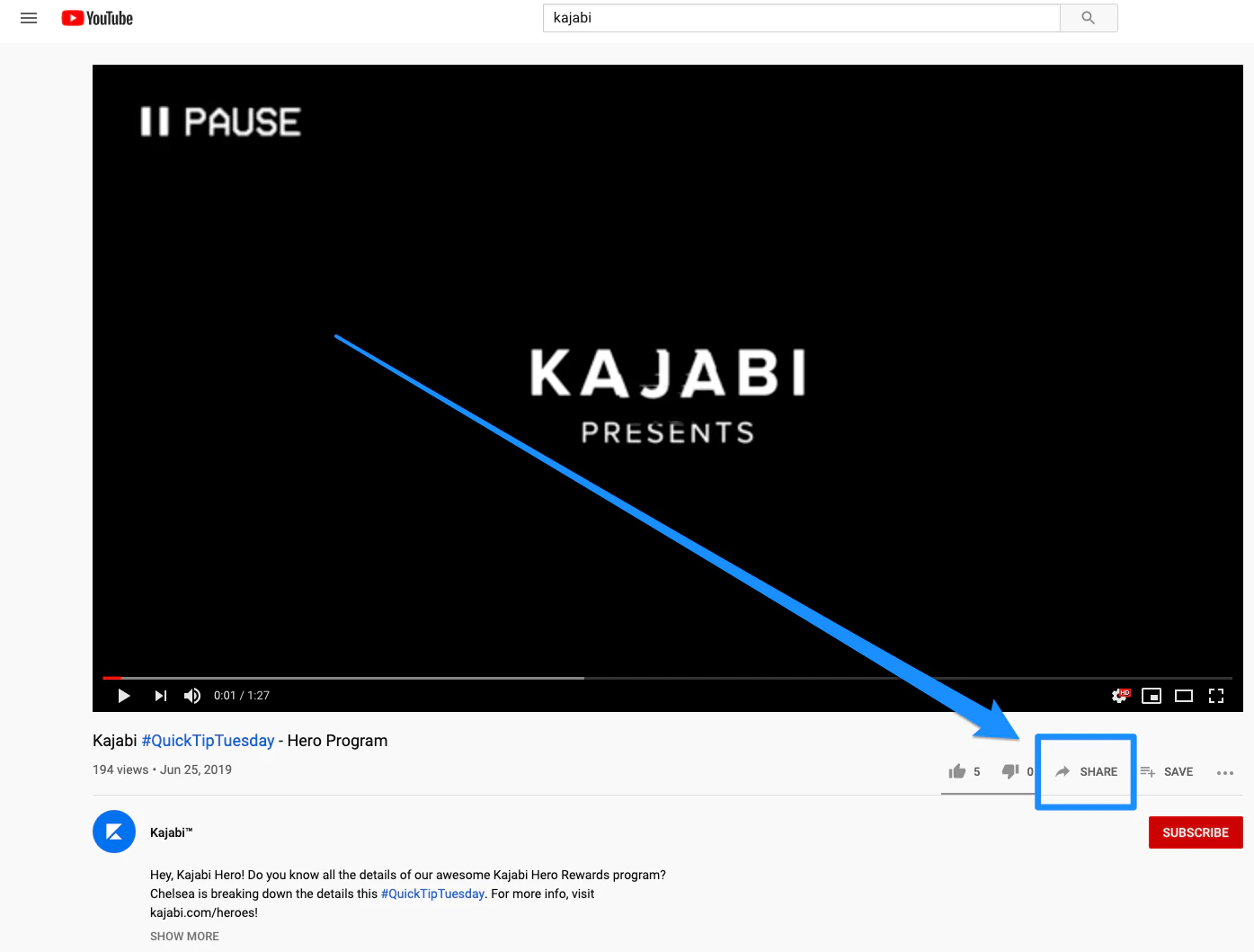
Looking to upload your video to your blog post? Learn to upload media to blog posts to learn how to upload media to your blog posts. First, copy the embed code for the video you would like to use.- If you are embedding a video from YouTube, click Share under the video player:
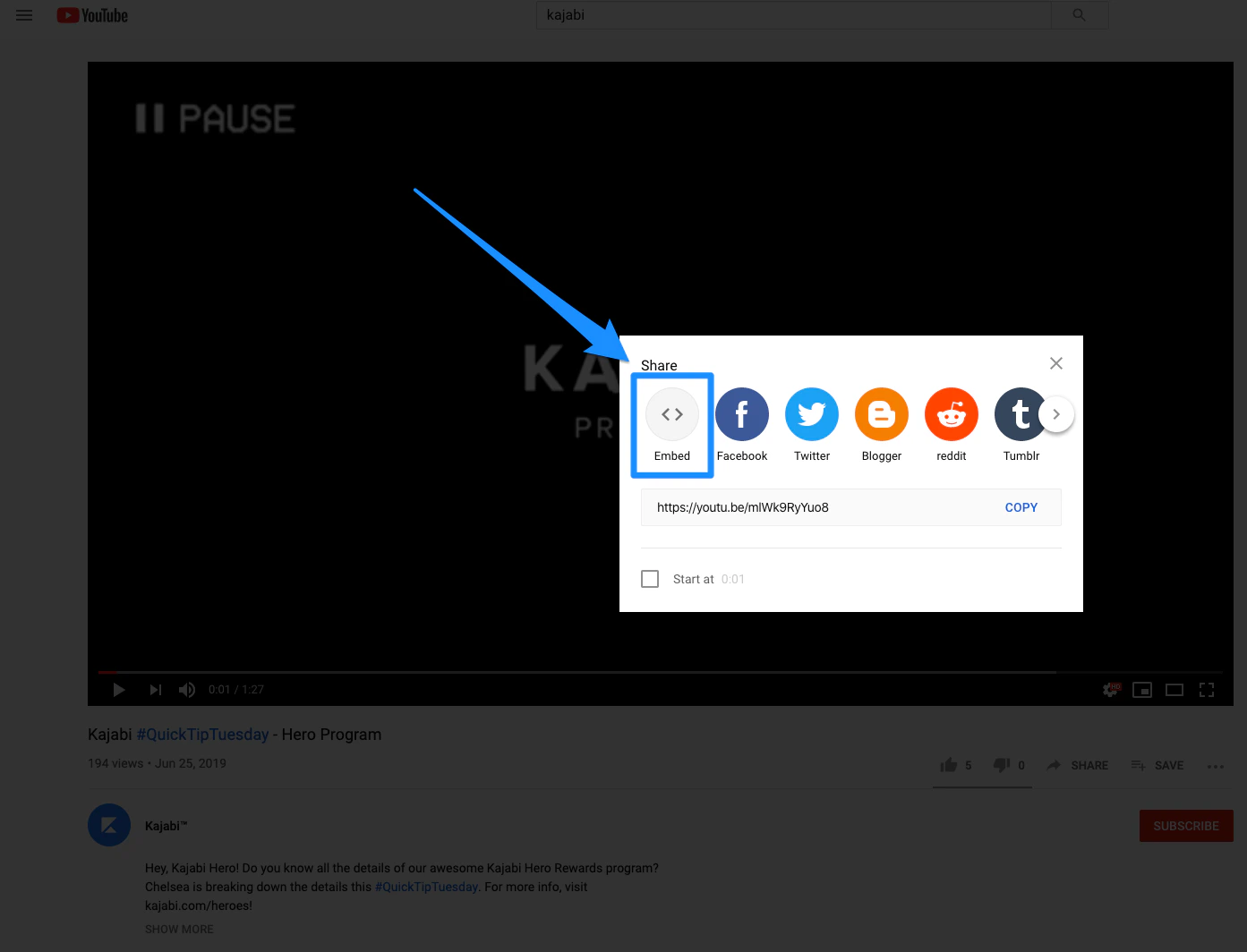
- Then, click Embed.
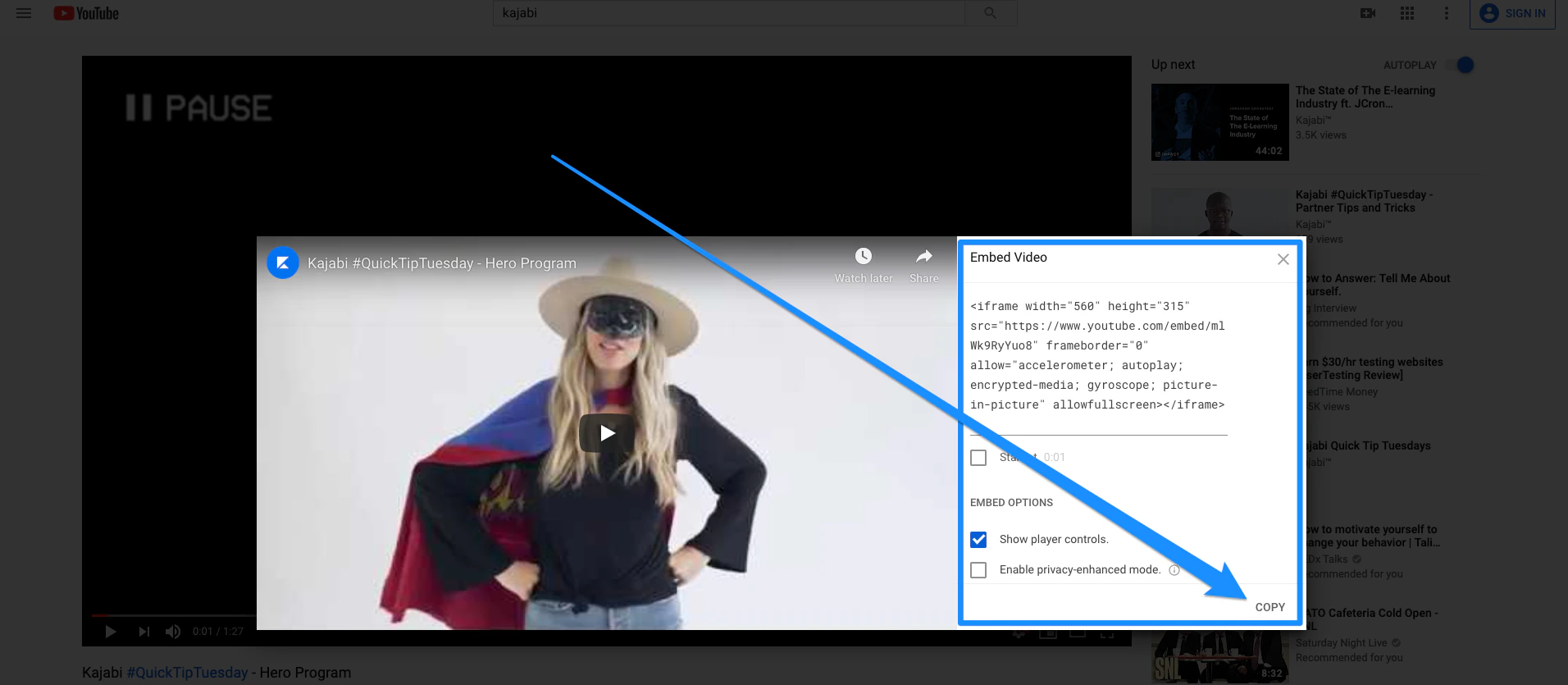
- From there, copy the Embed Code:
- Open the Website tab from the Dashboard.
- Then, click Blog.
- Edit an existing Blog Post or create a new one.
- Open the source code of the Content section on the Blog Post (click the
<>symbol in the top of the toolbar). - Paste the embed code and click Ok.
- Click Save to update your post.