

Note:
The Affiliate feature is only available with Growth and Pro Plans. See kajabi.com/pricing for more details.
Affiliate Portal features
- View their Stats within a specified time range.
- View the latest updates of your affiliate program in the Memo.
- Download or access Resources you’ve uploaded in your Affiliate Settings.
- Access their Share Links or their personalized Coupon Code.
- Export their Purchase Summary Report.
- Change their Settings to update their profile, email preferences, and change their password.
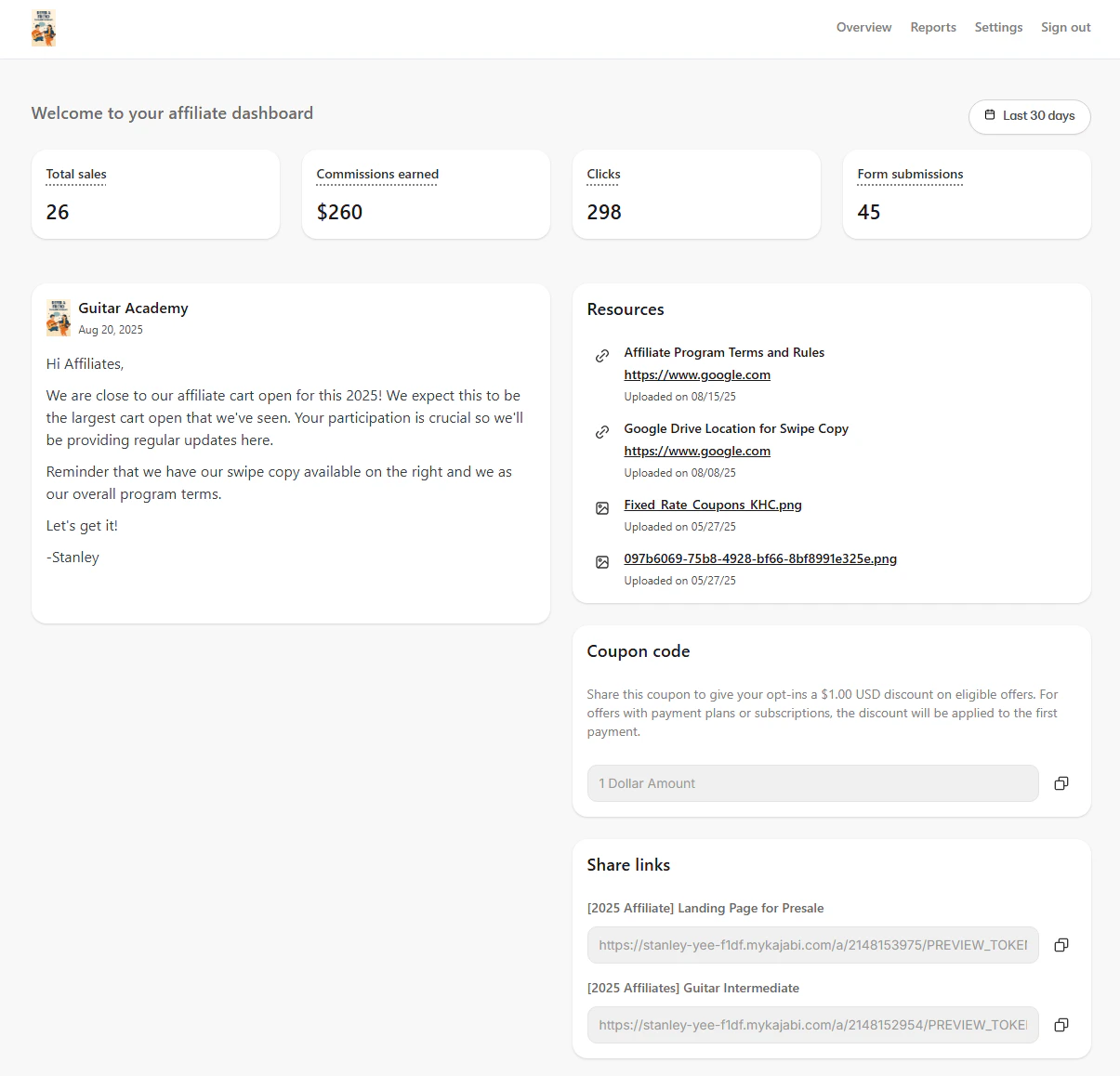
Access the Affiliate Portal
- Affiliates are provided the login URL when they register to be an affiliate or are added by you.
- You can access the login or registration URL by going to Affiliates > Settings.
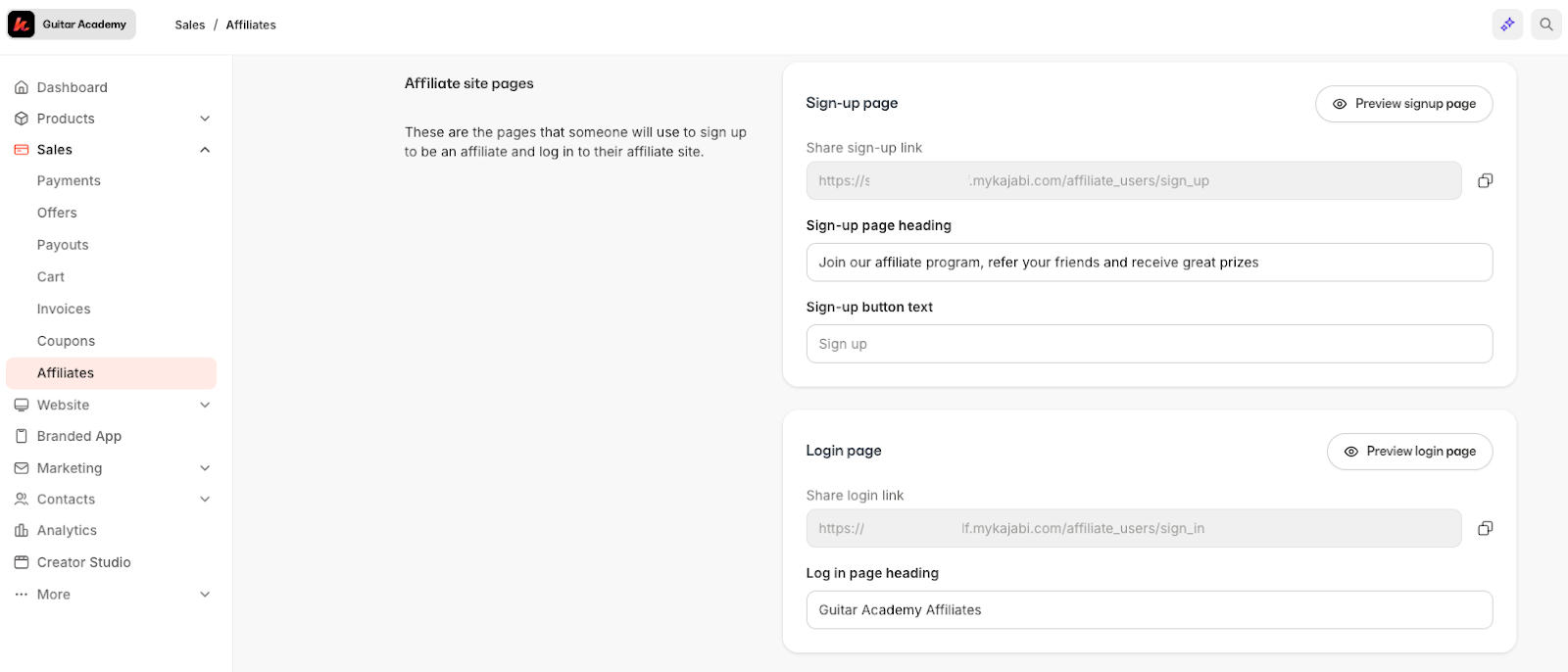
Affiliate Dashboard
The Affiliate Dashboard provides a real-time snapshot of performance and quick access to announcements, resources, coupon codes (if enabled), and share links.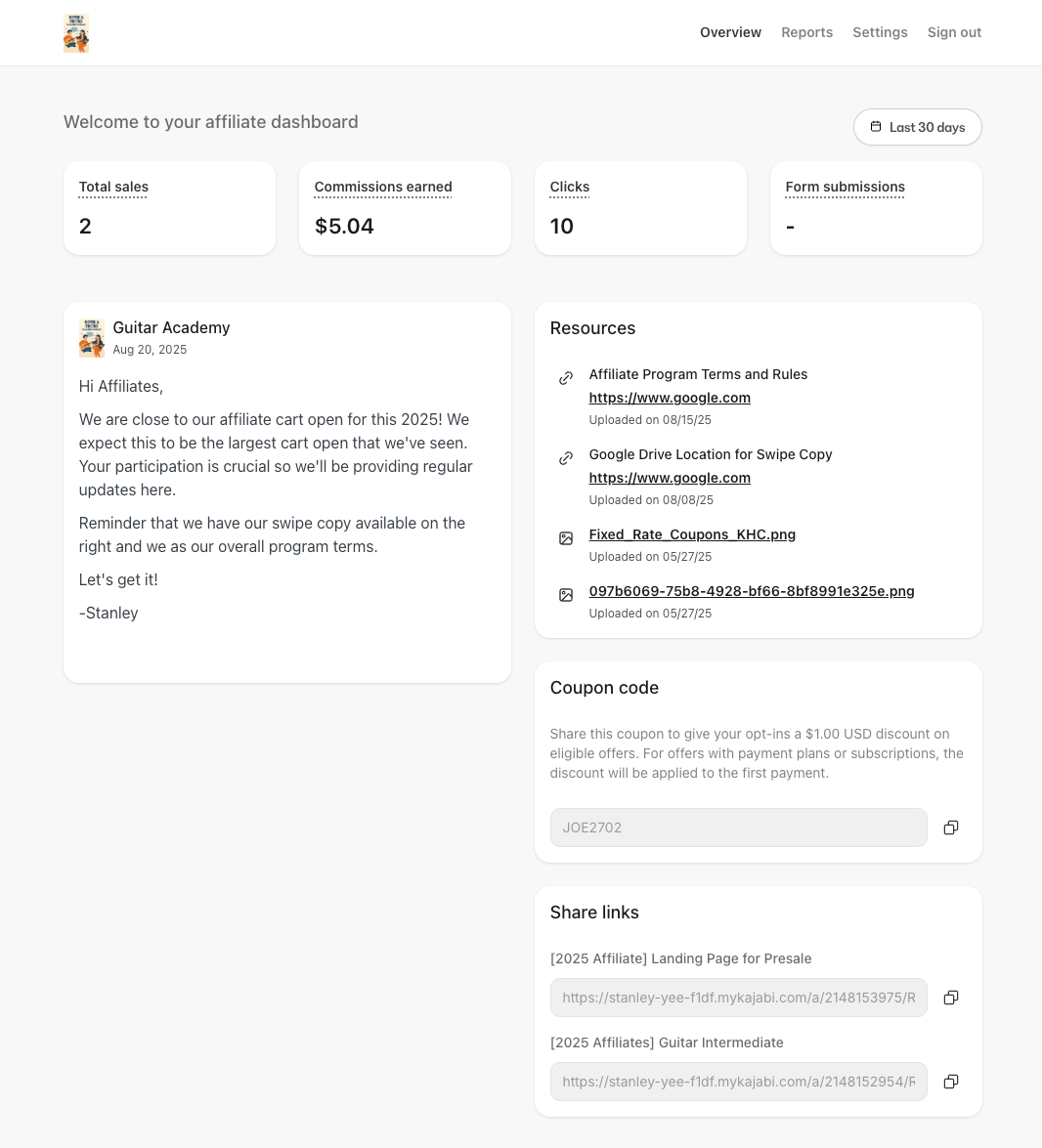
Date filter
Affiliates can use the date filter to view metrics for a specific time period (e.g., this week, this month, a custom range). All metrics update to reflect the selected range.Performance metrics
The Dashboard displays four key metrics, each scoped to the selected date range:- Total Sales: The count of sales attributed to the affiliate over the selected period.
- Commissions Earned: The total value of commissions earned over the selected period, excluding any refunds.
- Clicks: The total number of times an individual clicked any of the affiliate’s share links.
- Form Submissions: The count of form submissions attributed to the affiliate over the selected period.
Memo
The Memo is a static message from the program owner that appears for all affiliates. Affiliates may see launch dates, campaign rules, payout information, or other timely updates here. This is a great place to provide information on upcoming events or helpful information for affiliates to get started.Resources
The Resources section is where your affiliates can access helpful links and downloadable assets such as brand guidelines, images, copy templates, or swipe files provided by you. You can update this in your Affiliates Settings.Coupon Code
If you have enabled them, the affiliate will see their specific Affiliate Coupon Code here. Affiliates can use this code in their promotions as instructed by the owner.Share Links
These are affiliate-specific Share Links that your affiliates can copy and share in content, emails, and social posts, so clicks and sales can be attributed correctly.Note:
Share Links are unique to the logged‑in affiliate and links marked as private will not be displayed.
Reports
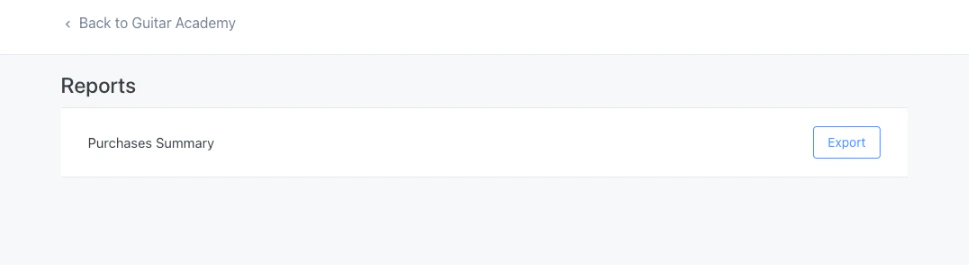
Purchase Summary
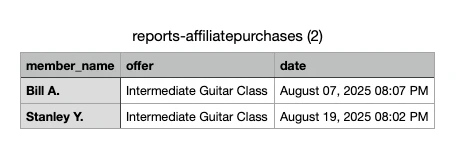
The Purchase Summary is the report available to affiliates. It provides a downloadable export of purchases attributed to the affiliate with the following fields:- Customer Name
- Offer Name
- Date of Purchase
Note:
Sensitive information (e.g., full name, email address, payment information) is not available to the affiliate.
Settings
Affiliates can manage profile information, payout email, notifications, and password from Settings.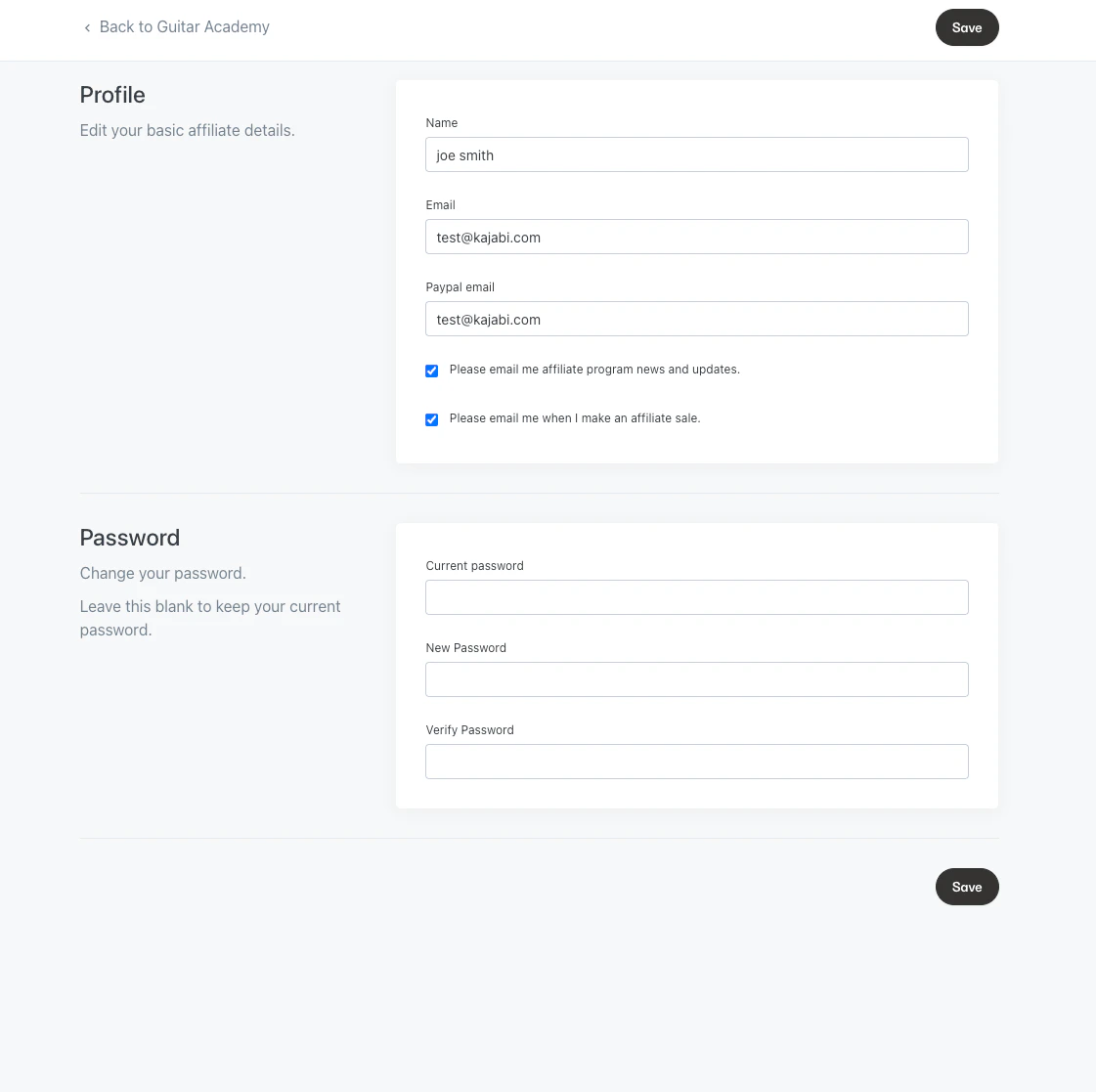
Profile information
Affiliates can update the following details:- Name
- PayPal email (used if you pay affiliates via PayPal)
Email notifications
Affiliates can control which emails they receive:- Please email me affiliate program news and updates: Opt in or out of affiliate announcements from your site.
- Please email me when I make an affiliate sale: Kajabi sends an automatic email whenever a new sale is made with the affiliate as the referring affiliate.