Create, manage, and publish your private Podcast in Kajabi.
Private Podcasts in Kajabi restrict access to only those who have purchased or been granted an Offer connected to your Podcast. Use private Podcasts to monetize exclusive audio content or deliver members-only episodes.
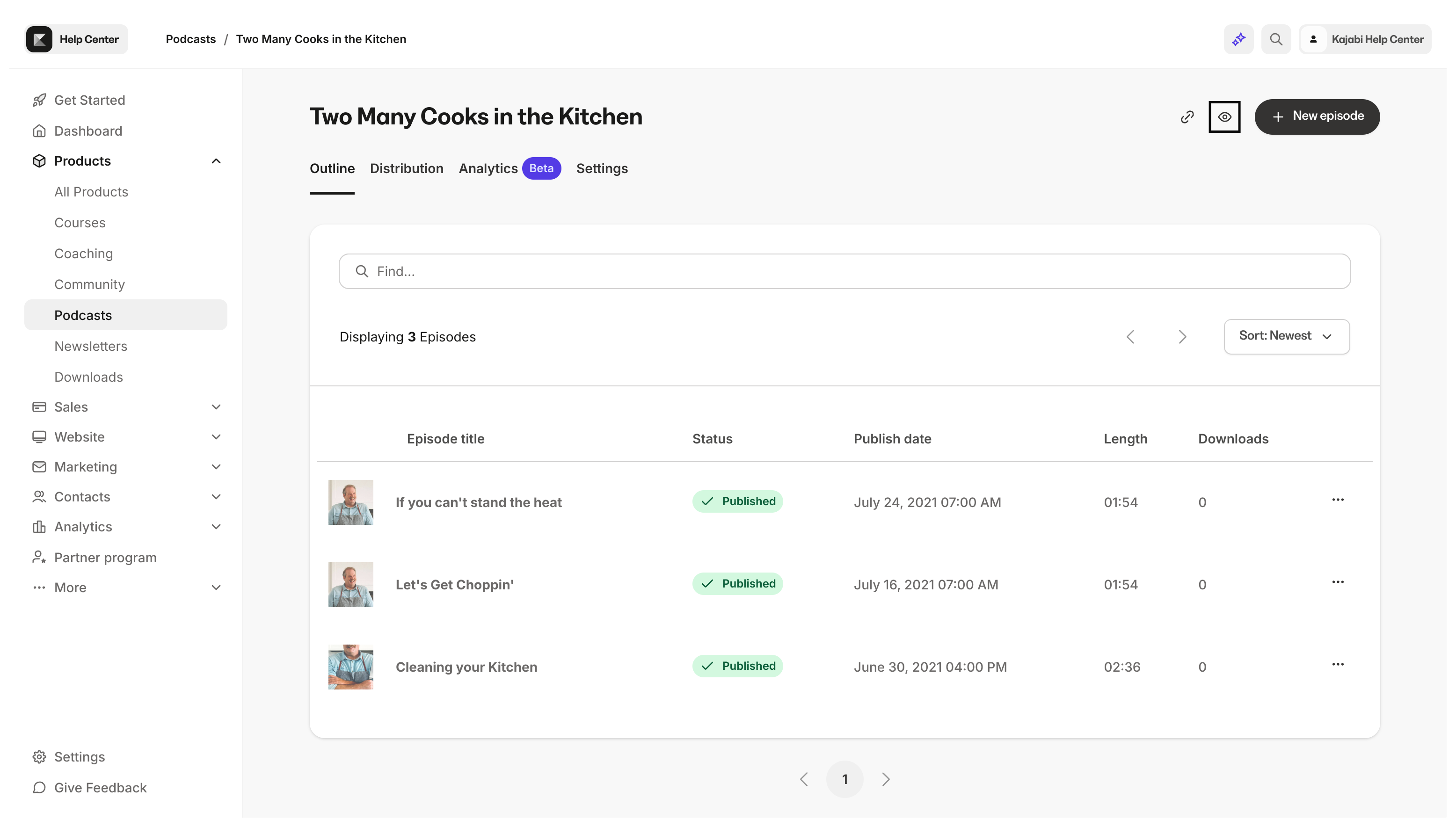
Your Podcast page will automatically generate with a URL in the format of: https://domain.com/podcasts/your-podcast-name.Preview your Podcast page and your page URL by clicking the Preview icon at the top right of the Podcast Editor:
In the podcast categories section, select the three categories that best fit the description of your Podcast content. Selecting categories will help with discoverability.
In the Page customization section, you can select Primary and Accent colors to customize the look of your Podcast page to better match your branding.Primary Color applies to the audio player and page buttons.Accent Color applies to the header background:
Podcast Subscribers are the customers who have purchased or have been granted your Product. When clicking the Subscribers tab from the Podcast Product Page, you will be taken to a custom segment in the Contacts tab.Follow the guide to learn more about managing your segmented contacts in the Contacts tab.