What are FAQs?
FAQs are Frequently Asked Questions that can help you proactively provide answers for leads and existing customers alike. By providing relevant FAQs, you can help reduce the number of support questions you receive and provide a better user experience to your site’s visitors.Use your chat records
Creator.io saves a chat record of all conversations with customers and visitors. By reviewing these records, you can see which questions are most commonly asked. These questions are a great starting point for creating your website’s FAQs. Learn more about the resources you can upload to your chatbotConfigure your chatbot
To configure your chatbot:- Log into your Creator.io account (or create an account if you haven’t already)
- Click + Create new from your Creator.io Dashboard
- Select your chatbot template. Learn more
- Complete the prompts to share key information about yourself and your business or click skip for now if you do not want to share
- Customize your chatbot by editing the Chatbot name and selecting your chatbot colors
- Train your chatbot by selecting your Kajabi courses, adding URLs, and uploading files
Note: Integrate Creator.io with your Kajabi site after creating your first chatbot. After integrating Creator.io and Kajabi, Creator.io will be able to pull information from your Kajabi courses to train your chatbot.
Access your chat records
To access your chat records:- Log into your Creator.io account
- Open your desired chatbot
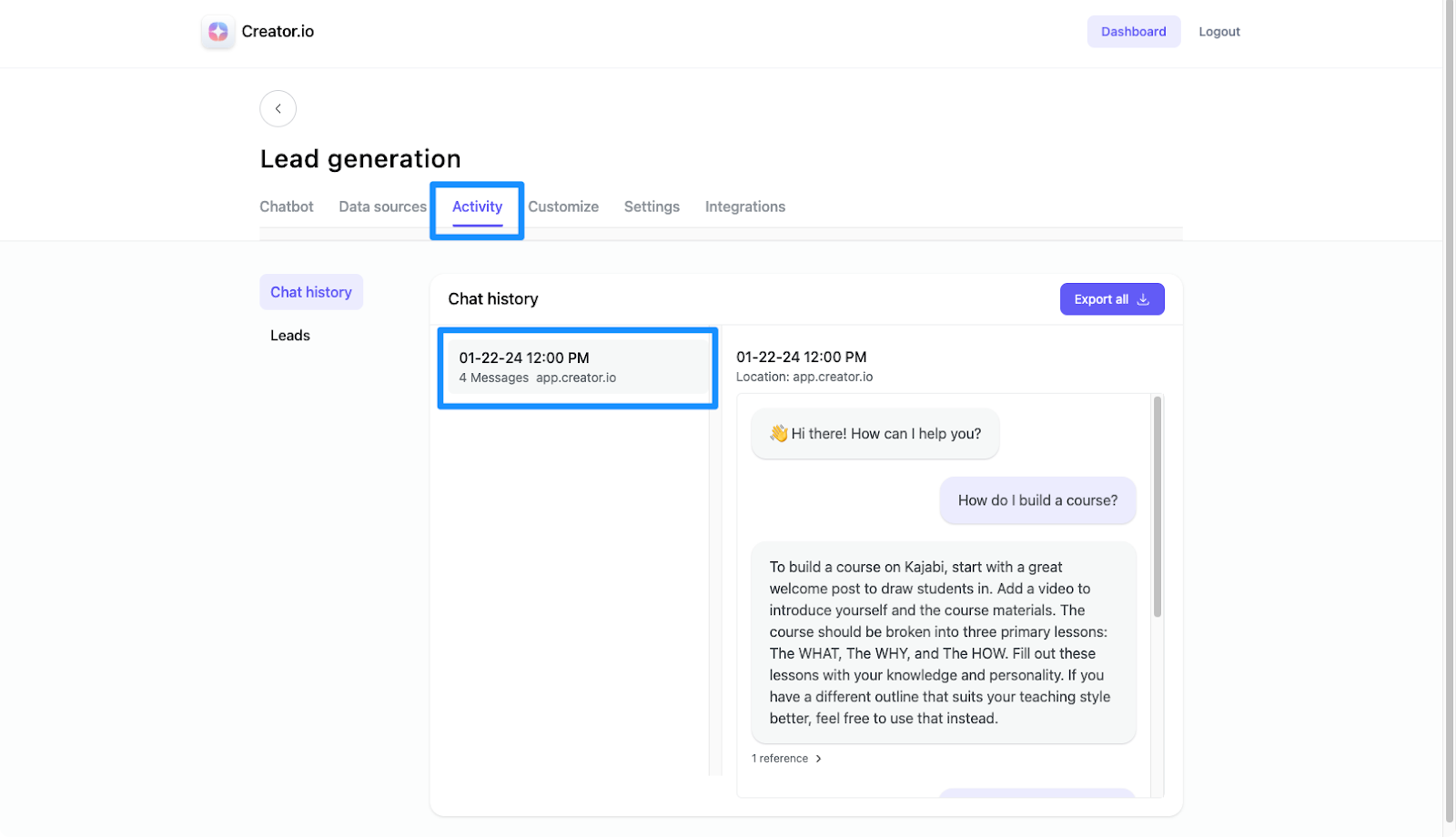
- Click Activity
- Select your desired chat history to review the conversation: