Skip to main content Overview The Partner Referral page shows all the creators you have referred to Kajabi and their current status. Use this page to track your referrals and monitor their progress from trial to active status.
Access the Partner Referral page The Partner Referral page is the best place for you to view your referred creators and check their current status.
To navigate to the Partner Referral page:
From the Kajabi Dashboard, click your account icon in the top right corner.
Select Partner Program to open your Kajabi Partner Dashboard.
If you do not have a Kajabi account, login here
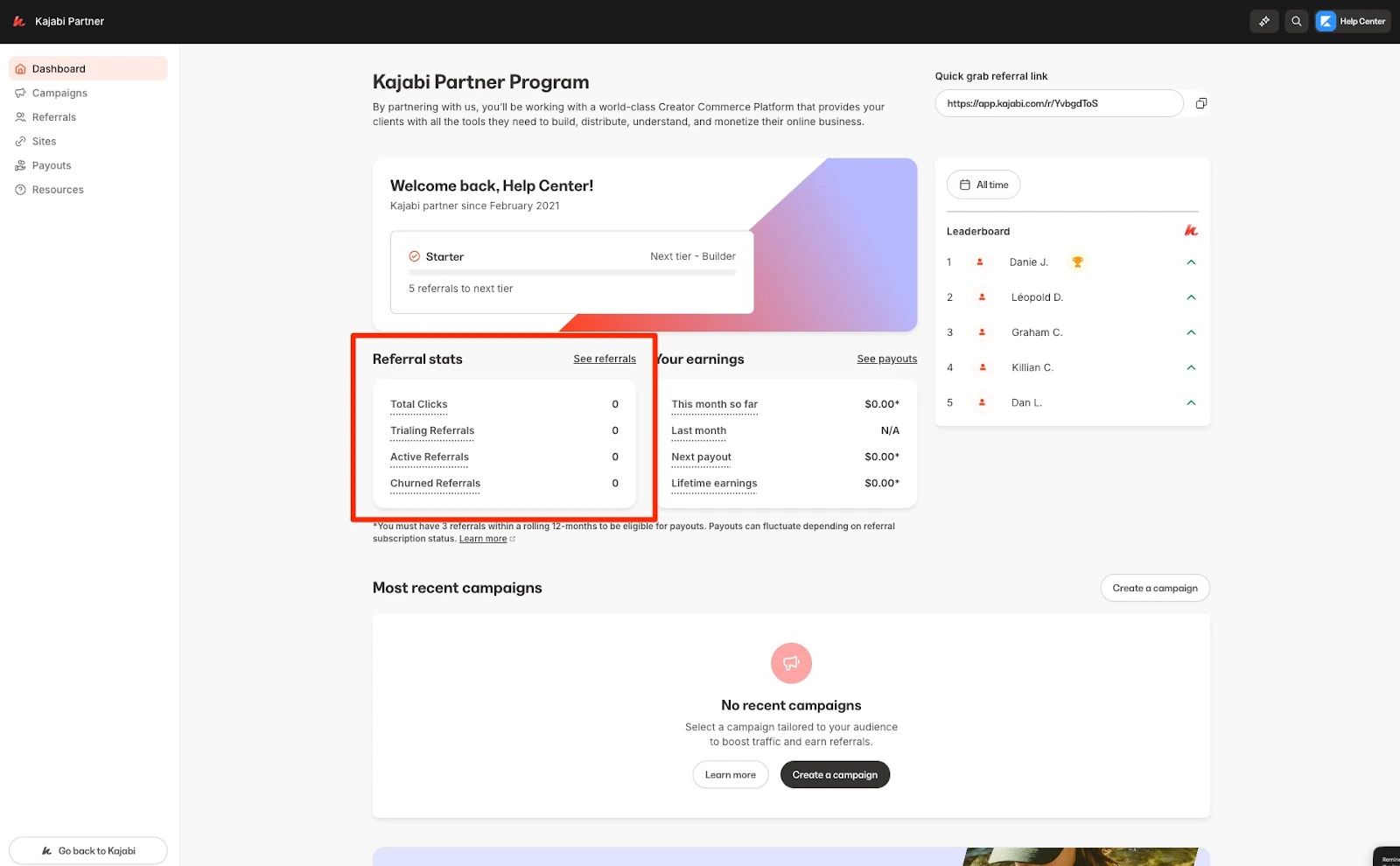
In the Partner Dashboard, click See Referrals to view your referrals and their statuses:
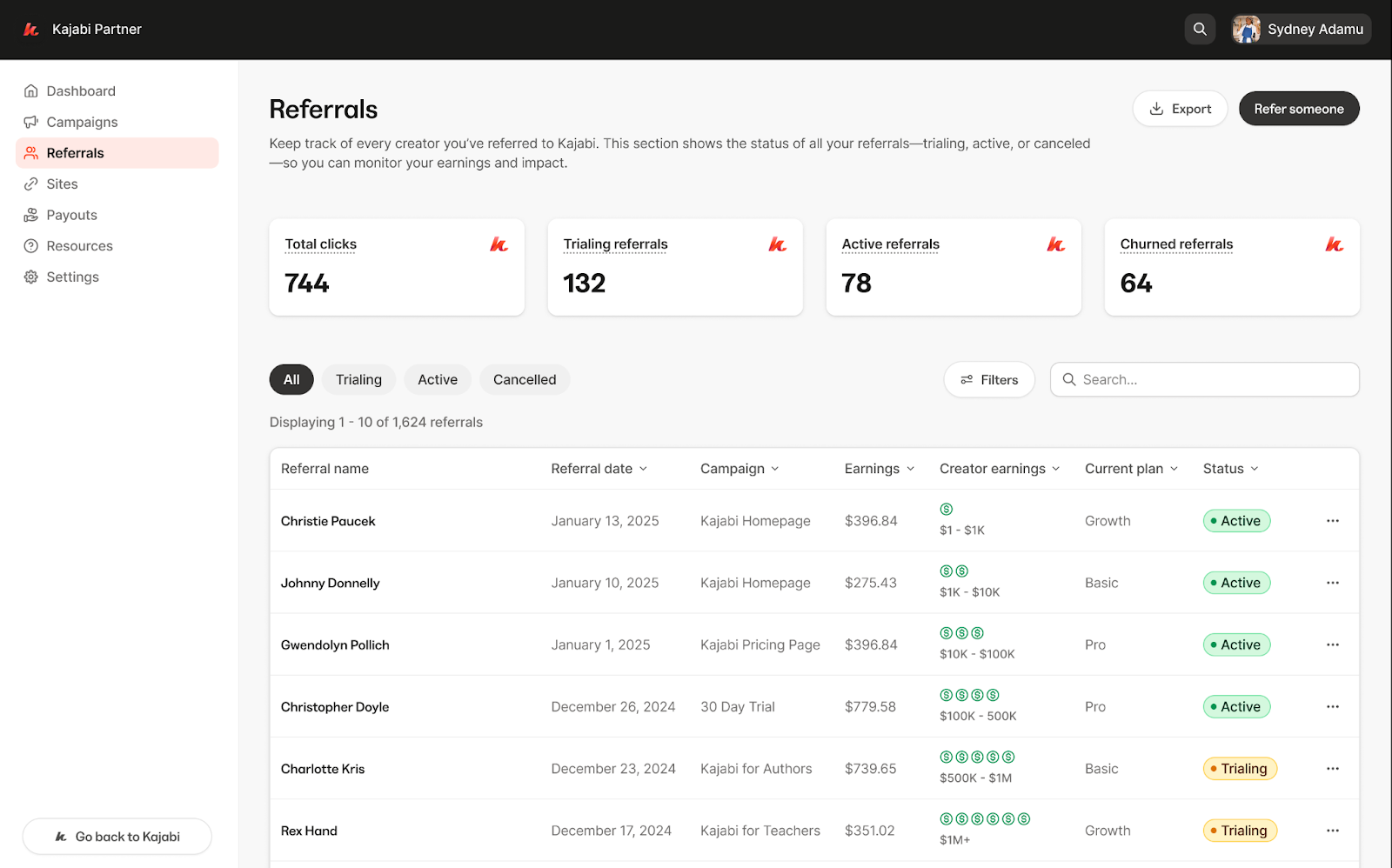
Referral page On the Referral page, you can view all your referrals along with their current status:
Trialing – The referral is currently in their Kajabi trial period.Active – The referral has completed their trial and is now an active Kajabi user.Cancelled – The referral has cancelled their Kajabi subscription and is no longer active.
You can also customize your view on the Referral page by applying filters.
Available filter options include:
Referral Signup Date
Campaign
Earnings
GMV Tier
Current Plan
Products Created
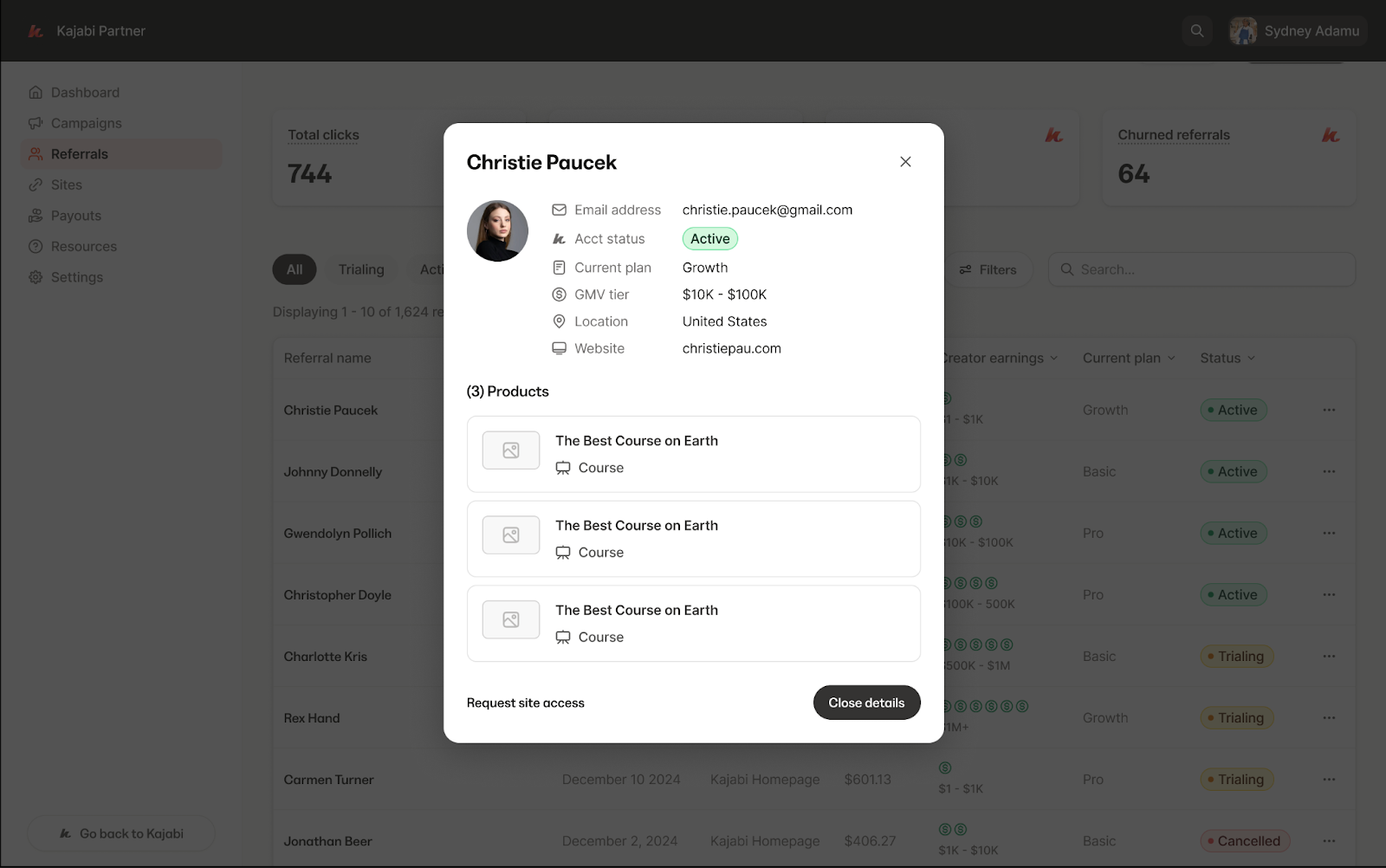
View referral details To view more information about a specific referral:
Search for a specific referral by name using the search bar, or select the referral from the Referral page.
Click the More Actions button (… ) next to their name.
You’ll be able to see the following details:
Name – The referral’s full name.Referral Date – The date they signed up through your referral link.Campaign – The specific campaign they came from, if applicable.Earnings – The total amount you’ve earned from this referral.Creator Earnings – The referral’s GMV (Gross Merchandise Value).Current Plan – The Kajabi subscription plan that the referral is currently on.Status – The referral’s current status: Trialing , Active , or Cancelled :
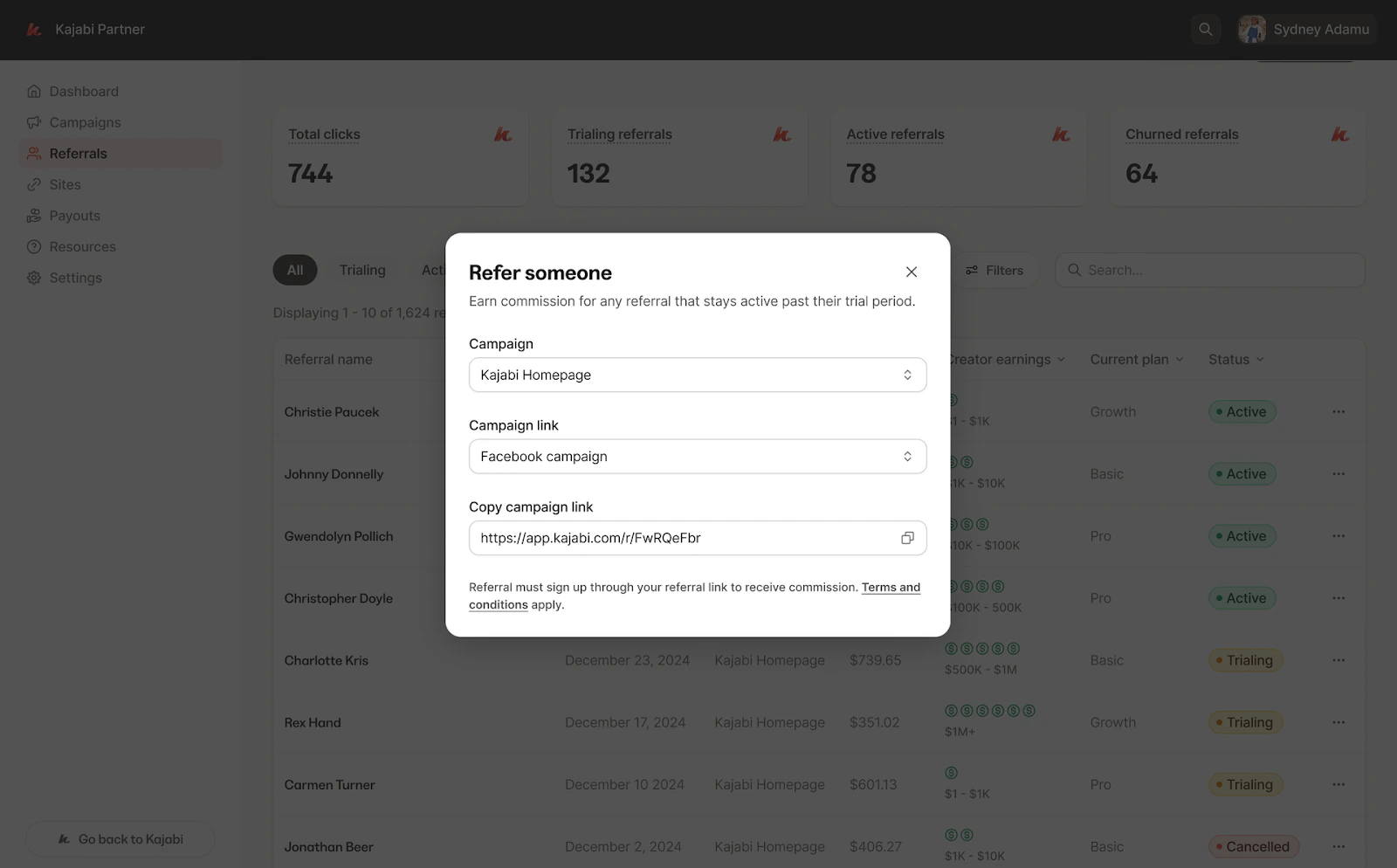
Refer someone To refer someone to Kajabi right from the Partner Referral Page:
Click the Refer Someone button.
A pop-up menu will appear with everything you need to share your referral link.
In the pop-up, you can:
Select the Campaign you want to use.
View the unique link associated with that campaign.
Easily copy the referral link to share with others: