

Activate your Drip integration
Activate Drip integration
- Open the Settings tab from your Dashboard.
- Open Third Party Integrations.
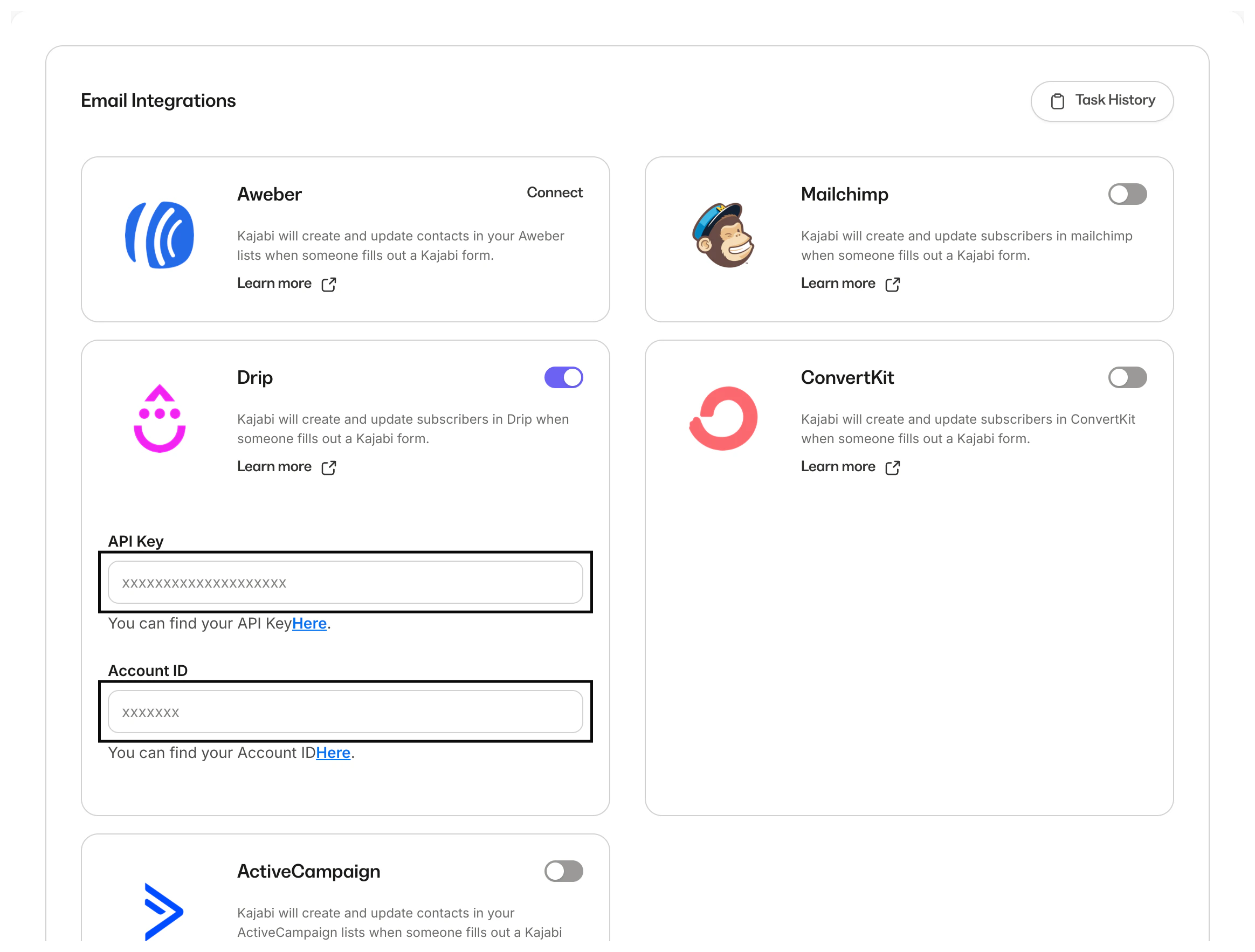
- Click the toggle to blue to enable the Drip integration:
Configure the Drip integration
The first step to configuring the integration is to add your API and Account ID.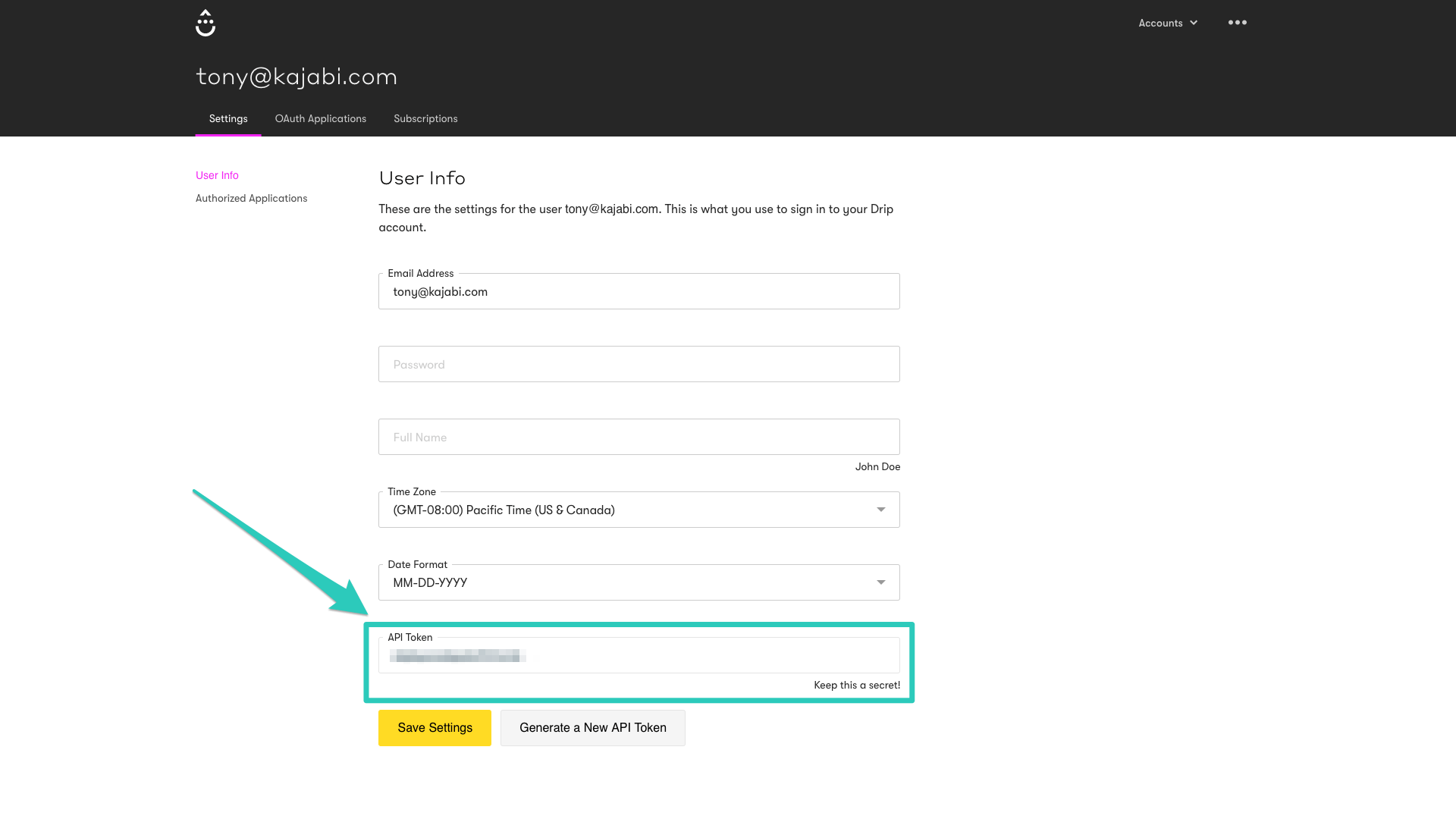
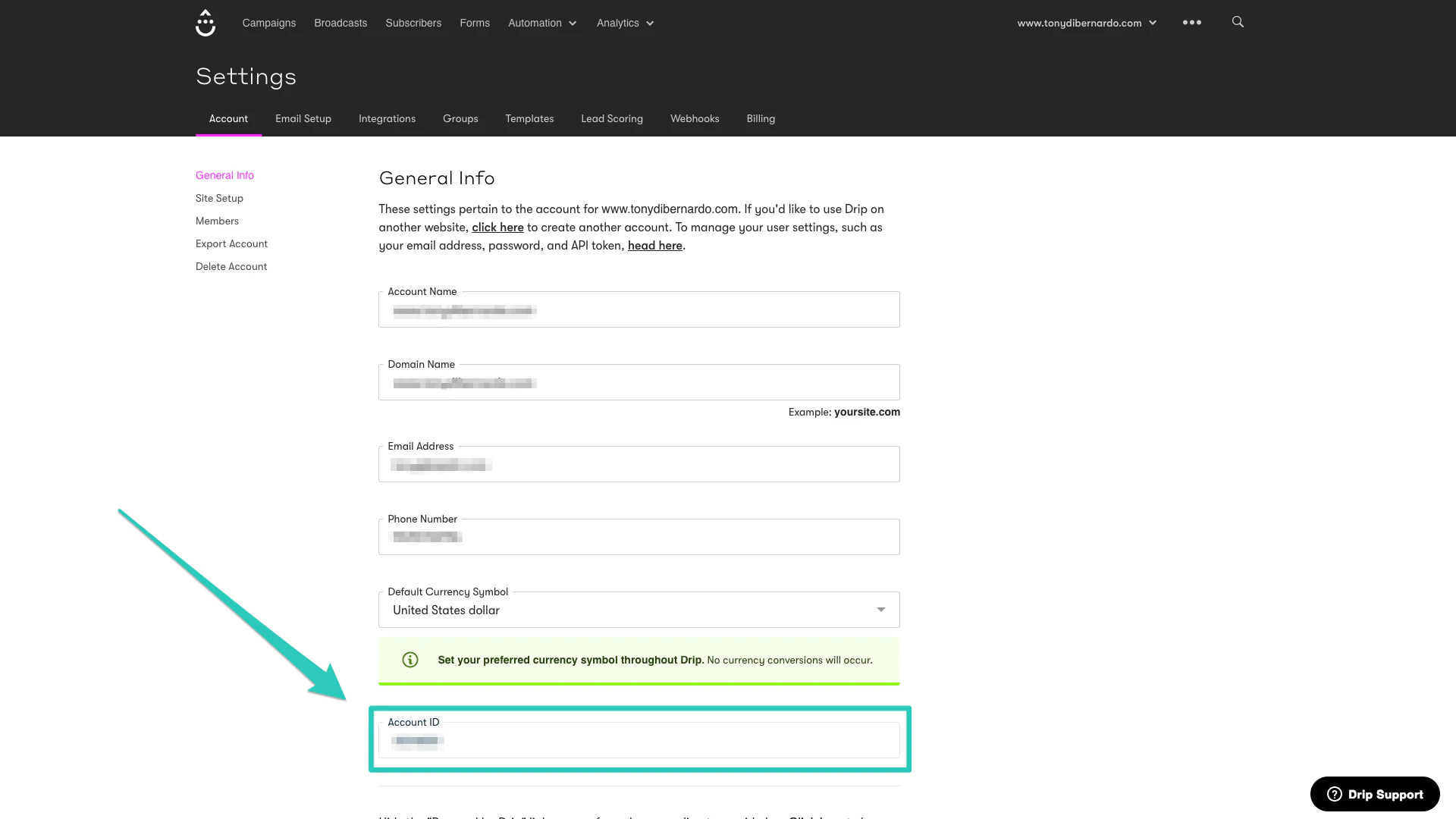
- Next, add both entries to the Integration Settings.
Connect Drip to a Form
Once your configuration is complete, the last step is to associate the Drip integration to a Form. This will send opt-ins to your list in Drip. The same will apply if the form is used anywhere within your site or if it’s embedded.Connect Drip to a Form
- Open the Marketing tab from your Dashboard.
- Click Forms.
- Select the Form you want to integrate Drip with.
- In the After Submission section, select Send the contact to a third-party email provider.
- Then, click Save to keep and apply your changes:
Note: You can also add tags. This gives you the ability to send your opt-ins to a specific list within Drip.